Tag: Viral

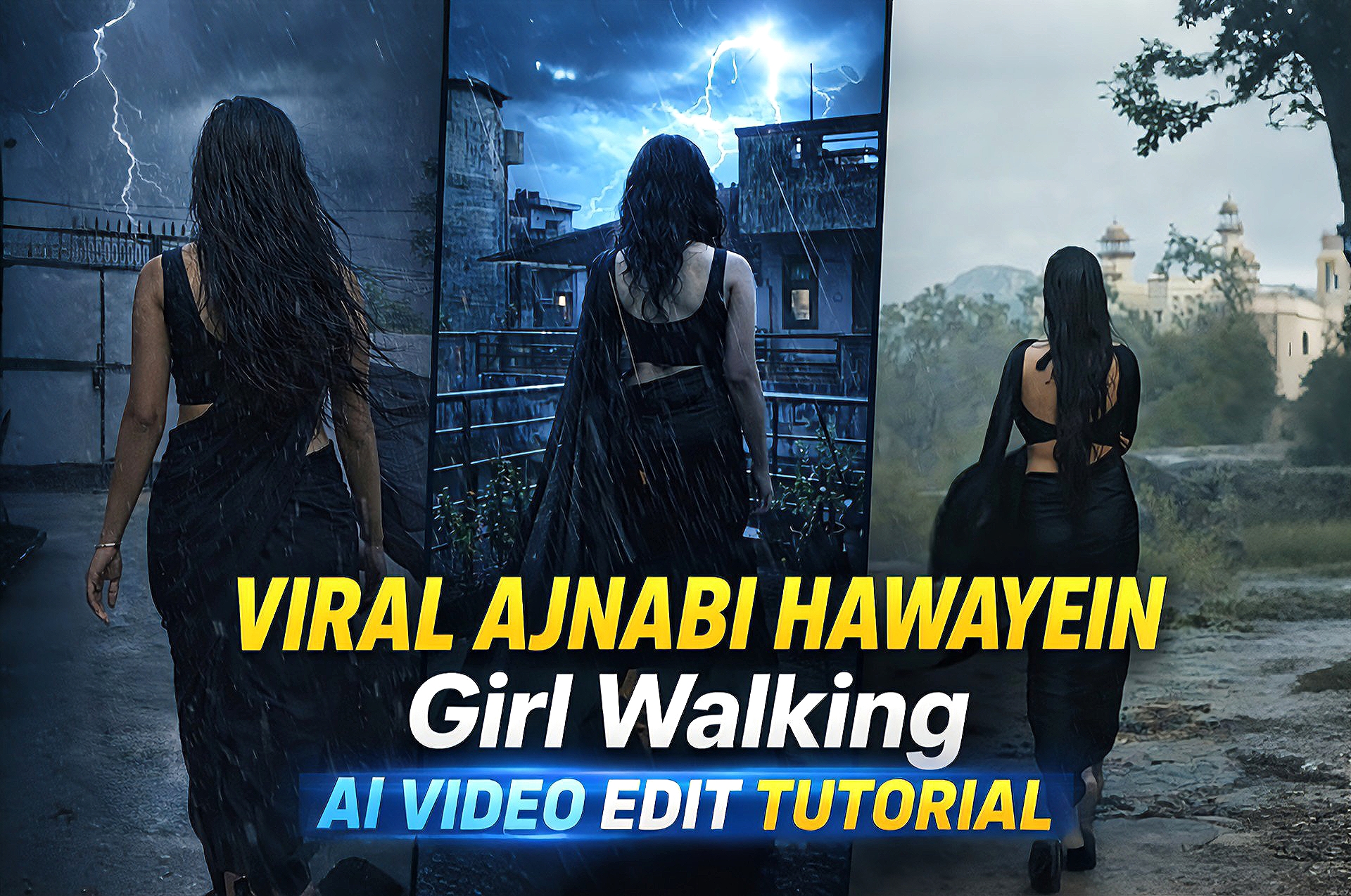
  • Viral Ajnabi Hawayein Girl Walking AI Video Edit Tutorial (Step-by-Step Guide)

    Viral Ajnabi Hawayein Girl Walking AI Video Edit Tutorial (Step-by-Step Guide)

    AI video editing is becoming one of the fastest-growing trends on social media platforms like Instagram, YouTube, and TikTok. Creators are now making cinematic reel edits using simple AI tools without needing advanced editing skills.In this guide, you will learn how to create a viral “Ajnabi Hawaein Girl Walking” style AI video edit with smooth cinematic effects and professional quality.

    How to Use This Method

    Follow these steps to create your viral edit:

    Open your preferred AI video or image generation tool

    Upload your photo or generate an AI image

    Apply cinematic lighting and mood effects Add rain, lightning, or dramatic atmosphere (optional)

    Import the result into a video editor

    Add music (Ajnabi Hawayein style) and transitions

    Export your final video

    How This Works

    AI tools analyze your input and generate cinematic visuals with enhanced lighting, depth, and mood.By combining AI-generated visuals with basic video editing, you can achieve a professional reel-style output that looks visually appealing and engaging.

    IMAGE PROMPT

    Change her dress into black saree sleeveless blouse open hair with dark rainy weather thounderstorm slow rain wind her saree,s fall flow in wind use upload photo type same body structure

    VIDEO PROMPT

    Create a cinematic slow-motion video of the girl walking forward. Add light rain and soft wind. Her hair and black saree should flow naturally in the wind. Include dark cloudy sky and occasional lightning in the background. Keep realistic motion, smooth animation, and dramatic lighting.

    Tools Used In This Edit

    AI image/video generator (for base visuals)

    Enhancement tools (for better quality)

    Video editor (for final editing, transitions, and effects)

    Editing Process (Step-by-Step)

    Step 1: Generate or select your base image

    Step 2: Apply cinematic effects (lighting, color tone)

    Step 3: Add rain/lightning or environment effects

    Step 4: Import into video editing app

    Step 5: Add music and transitions

    Step 6: Export in high quality (HD/4K)

    Best Use Cases

    Instagram reels

    YouTube shorts

    Cinematic edits

    Viral content creation

    Portfolio show case

    Why This Edit Is Trending

    Cinematic AI edits are trending because they combine storytelling with visual effects.The emotional vibe, smooth transitions, and dramatic lighting make these edits highly engaging and shareable.

    Conclusion

    Creating a viral “Ajnabi Hawayein Girl Walking” AI video edit is now easy with the help of AI tools and basic editing techniques.With the right approach, you can create professional and viral content in just a few steps.

  • Viral Anime Reel Edit AI  (Cinematic Style)

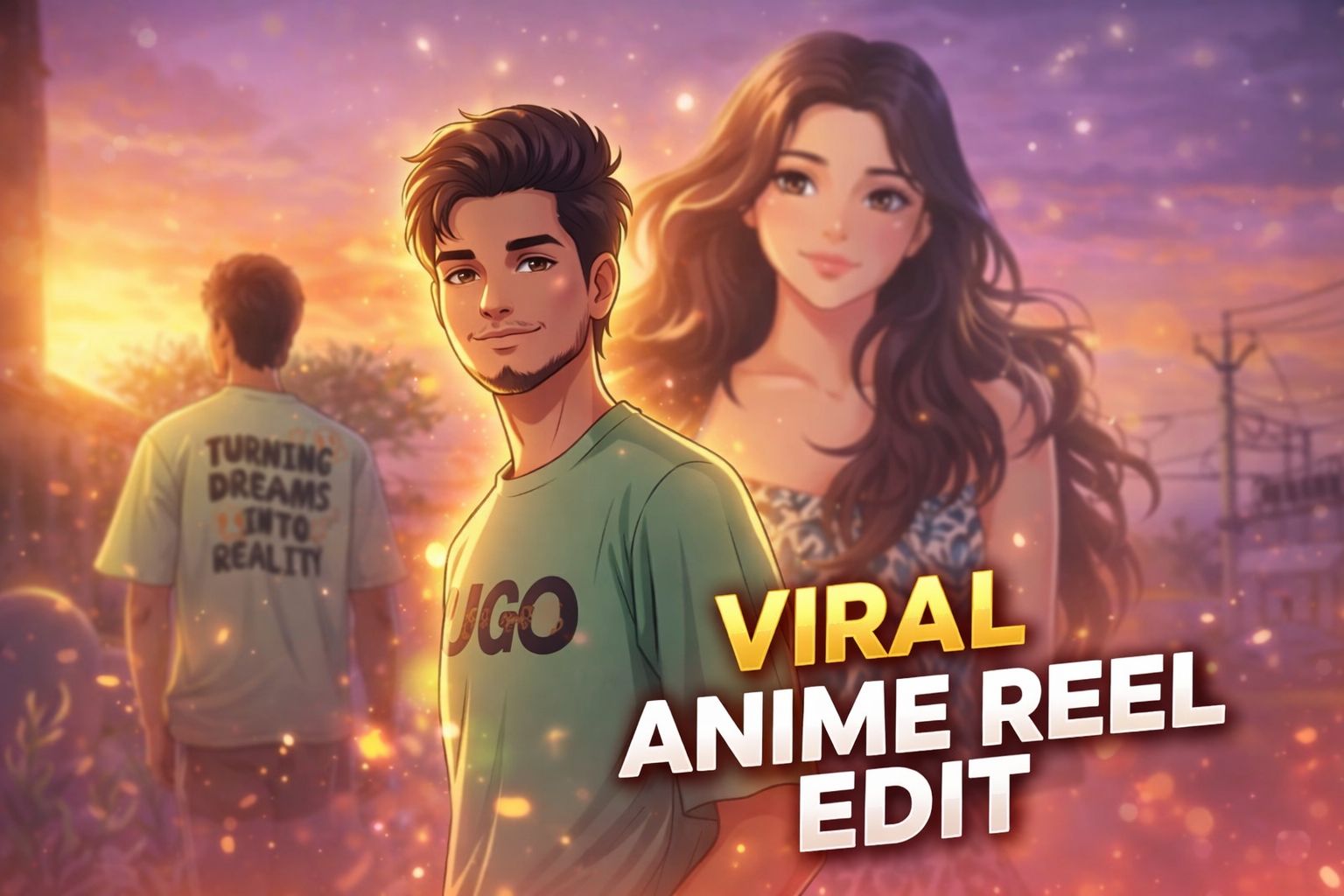
    Viral Anime Reel Edit AI (Cinematic Style)

    nime style photo editing is currently one of the most viral trends on social media platforms like Instagram, YouTube, and TikTok. Creators are transforming their normal photos into cinematic anime-style visuals that look aesthetic, emotional, and highly engaging.

    These anime edits often include soft lighting, glowing particles, dreamy backgrounds, and smooth skin tones that give a unique animated feel. Because of this, anime-style edits are getting massive attention and going viral quickly.

    In this post, we are sharing a viral anime reel edit AI prompt that helps you convert your normal photo into a cinematic anime-style image with glowing effects and a beautiful background.

    Why This Anime AI Prompt Is Trending

    Anime edits are trending because they combine real-life photos with animated cinematic effects. This creates a unique visual experience that stands out on social media.

    Many creators use anime-style edits in reels and shorts because they attract more views and engagement. The soft glow, romantic lighting, and emotional vibe make these edits perfect for storytelling content.

    With AI tools, creating anime-style edits has become very easy. You don’t need advanced editing skills — just use a well-written prompt and get professional results instantly.

    IMAGE PROMPT

    Transform the provided portrait photo into a soft cinematic digital illustration in anime style. Keep the same face, same hairstyle, same expression, and same pose. Style inspired by modern anime portrait illustration with smooth line art, soft cel shading, and warm cinematic lighting. Add a glowing orange and purple atmosphere. Include subtle floating particles and soft lens flares around the subject. Add small glowing fish swimming in the foreground with slightly blurred aquatic plants. Skin should be rendered in smooth anime shading with expressive eyes, clean linework, and stylized yet realistic proportions. Lighting should include warm golden light from one side and soft purple ambient light from the background, creating a dreamy atmosphere. Ultra-detailed digital painting with clean gradients, soft glow effects, cinematic color grading, and depth of field. Keep the exact framing of the original photo (chest-up portrait) with a soft blurred background. High detail, ultra-clean digital art.

    VIDEO PROMPT

    Animate this anime-style portrait with subtle cinematic motion. The character remains still while the environment gently moves. Small glowing particles slowly float in the air around the character. Soft cinematic light flares move across the frame. Tiny glowing fish in the foreground slowly swim from left to right and slightly up and down. Aquatic plants gently sway as if underwater. Very soft wind slightly moves the character's hair. Lighting softly flickers, creating dreamy reflections on the face. The camera performs a very slow cinematic push-in toward the character. Atmosphere is magical, dreamy, and calm. Ultra-smooth motion, natural animation, anime film style. No distortion, no face change—keep the character exactly the same.

    Tools Used In This Edit

    This anime-style edit was created using a combination of AI tools and manual editing techniques.

    • Gemini AI – Used to generate the base AI image using advanced prompts

    • Flow Labs – Helped refine and enhance the AI output

    • CapCut – Used for final adjustments like color grading, glow effects, and cinematic finishingBy combining these tools, you can achieve a professional anime-style result without using complex software like Photoshop.

    Editing Process (Step-by-Step)

    Step 1: Generate the base image using Gemini AI with a detailed prompt

    Step 2: Refine the output using Flow Labs for better quality and details

    Step 3: Import the image into CapCut

    Step 4: Add glow effects, lighting, and color grading

    Step 5: Export the final cinematic anime edit

    Best Use Cases

    • Instagram reels cover photos

    • YouTube shorts thumbnails

    • Profile pictures• Romantic edits

    • Viral social media content

    Conclusion

    Anime-style AI photo editing is a powerful way to create visually stunning and viral content. With the help of this prompt, you can easily transform your normal photo into a cinematic anime scene with glowing effects and a dreamy atmosphere.

    If you love creating AI edits, explore more trending prompts on our website and take your editing skills to the next level.

  • Night Flash Light Glow AI Photo Editing Prompt (Viral Selfie Style)

    Night Flash Light Glow AI Photo Editing Prompt (Viral Selfie Style)

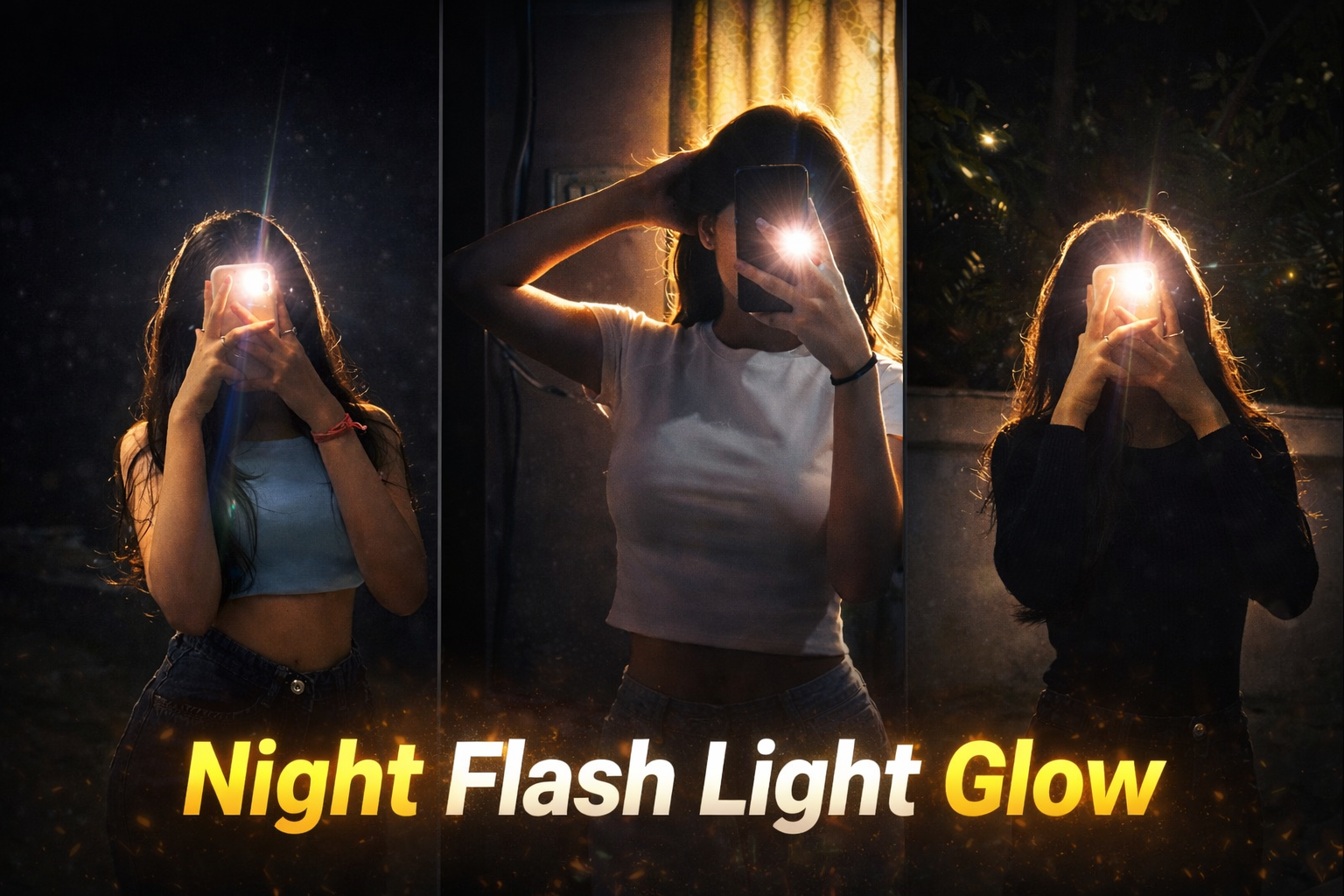
    Night flash photography is becoming one of the most popular styles on social media. This effect creates a strong glowing light around the subject while keeping the background dark and cinematic. Many creators use this style to give their photos a dramatic and aesthetic look that instantly grabs attention.

    With the help of AI photo editing prompts, it has become very easy to recreate this viral night flash glow effect. The AI analyzes lighting, shadows, and highlights to generate a powerful flash glow that looks professional and cinematic.

    In this post, we are sharing a viral Night Flash Light Glow AI prompt that can transform normal photos into stunning glowing portraits. This prompt keeps the original composition natural while adding strong flash highlights, glow effects, and a cinematic atmosphere.

    Apply a bold night-flash aesthetic to the uploaded photo while fully preserving every original detail of the...and shoulders. Render skin with luminous translucency and gentle peachy tones. Enhance stray hair strands backlit by sunlight. Hard rule: Do not change the face and hairs of the subject. Do not change the composition and background.

    How This AI Prompt Works

    This AI prompt is designed to recreate a dramatic night flash lighting effect in photos. When the prompt is applied, the AI analyzes the subject, lighting direction, and background environment to generate a strong flash glow effect.

    The main purpose of this prompt is to simulate the look of a direct camera flash used in night photography. It creates bright highlights on the subject while keeping the background darker, which produces a cinematic and aesthetic portrait style.

    AI also enhances small visual details such as skin texture, hair edges, and light reflections. This helps the final image look more realistic and professional rather than overly edited.

    Because of this advanced image processing, creators can easily turn a normal photo into a viral night flash glow portrait without using complicated editing software.

    How To Use This Prompt

    Step 1: Copy the AI prompt from this post.

    Step 2: Open any AI image editing tool such as ChatGPT, Leonardo AI, or other AI generators.

    Step 3: Upload your original photo as the reference image.

    Step 4: Paste the prompt and generate the image.

    Step 5: Download the final cinematic night flash glow result.

    Best Use Cases

    • Instagram aesthetic photos

    • Viral social media posts

    • Profile pictures

    • Creative portrait photography

    • AI photo editing projects

    Conclusion

    Night flash glow photography is becoming one of the most popular styles on social media. With the help of AI prompts, anyone can recreate this cinematic flash lighting effect in just a few seconds.

    This prompt allows creators to transform ordinary photos into dramatic glowing portraits while maintaining natural details and composition.

    If you enjoy AI photo editing prompts, you can explore more creative prompts and editing ideas on our website.

  • 3 Viral Royal Enfield AI Photo Editing Prompts

    3 Viral Royal Enfield AI Photo Editing Prompts

    AI photo editing prompts are becoming extremely popular among creators who want to create stylish and cinematic images without complex editing. With the help of modern AI tools, it is now possible to transform a simple photo into a professional looking visual in just a few seconds.

    One of the most trending styles right now is the Royal Enfield bike photo editing look. Images featuring classic motorcycles, confident poses and cinematic lighting often go viral on social media platforms like Instagram and YouTube. These types of photos attract a lot of attention because they combine powerful visuals with a stylish aesthetic.

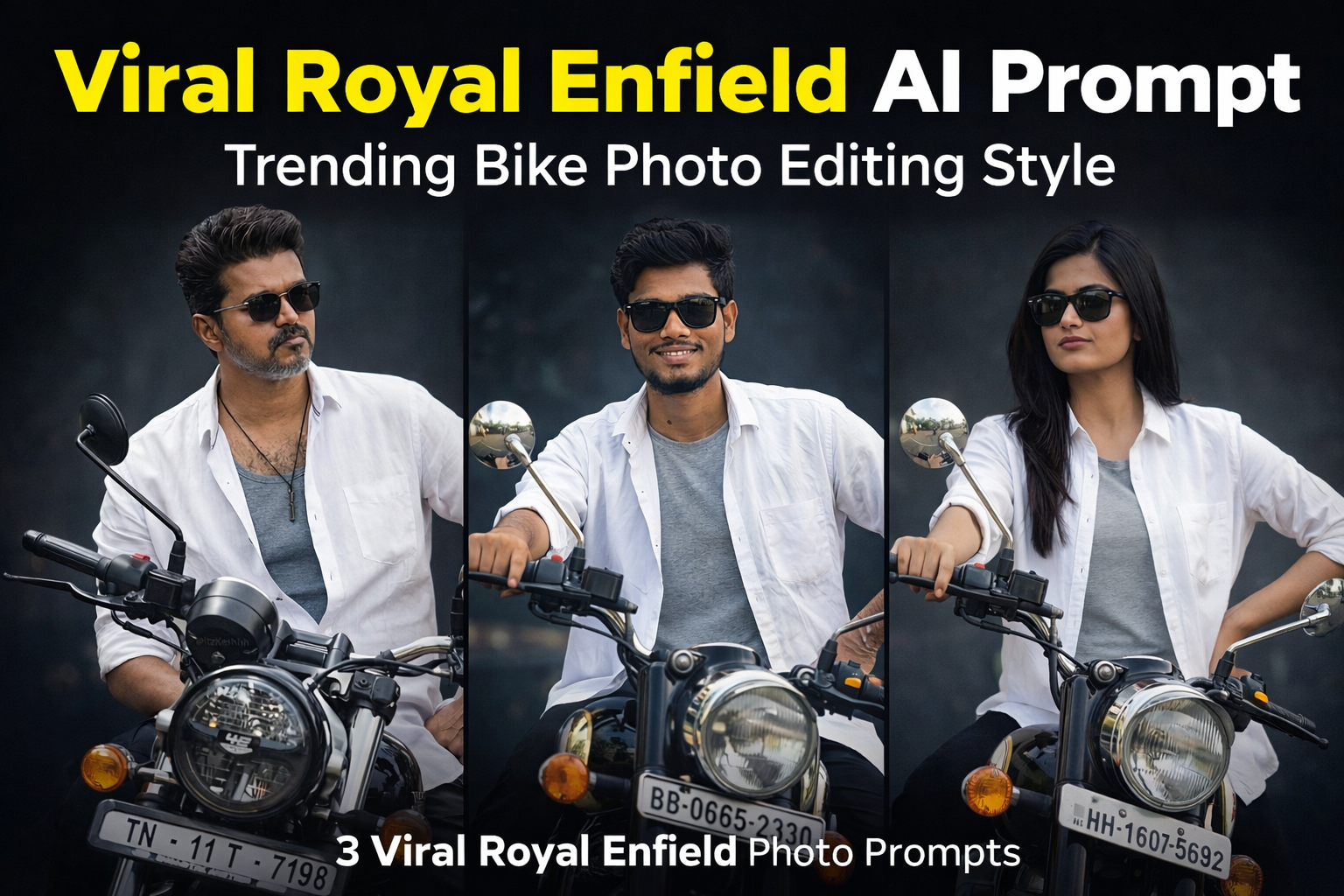
    In this post, we are sharing 3 viral Royal Enfield AI photo editing prompts that can help you create similar cinematic bike portraits using AI tools. These prompts are designed to maintain the original face and pose while enhancing the lighting, mood and overall visual style of the image.

    Royal Enfield Cinematic Bike Portrait

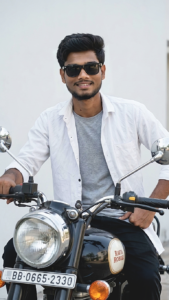
    Use the uploaded image as the exact reference and recreate the scene identical with the same composition, pose, lighting and style. A stylish man sitting on a black classic motorcycle facing slightly left, wearing black sunglasses, a white open button-down shirt over a grey t-shirt, and black pants. One hand rests on the motorcycle handlebar while the other is placed on his hip. He has a neatly styled haircut with a short beard and moustache. The motorcycle headlight and mirrors are clearly visible in the foreground with a number plate on the front. Background is a clean minimal light wall creating a simple cinematic look. Natural soft daylight, realistic shadows, sharp details, shallow depth of field, ultra-realistic, photorealistic, 8K quality, no change to pose, lighting, angle, outfit or background.

    How To Use This AI Prompt

    Using these prompts is very simple and beginner friendly.

    Step 1: Copy the AI prompt from this post.

    Step 2: Open any AI image generator such as ChatGPT image tool, Gemini or Leonardo AI.

    Step 3: Upload your original photo as a reference image.

    Step 4: Paste the prompt and generate the image.

    Step 5: Download the final result and use it for social media.

    Why This Royal Enfield AI Prompt Is Trending

    Royal Enfield motorcycles are known for their classic and powerful design. Because of this, photos featuring Royal Enfield bikes often look more stylish and cinematic. Many creators use these types of visuals for Instagram posts, reels covers and creative photography projects.

    AI prompts make it possible to recreate these professional looking visuals easily without advanced editing skills.

    Conclusion

    Royal Enfield themed photo edits are becoming very popular among creators who want to create bold and stylish visuals. By using these AI prompts, you can easily generate cinematic bike portraits while keeping the original face and composition natural.

    If you enjoy AI photo editing and creative photography, you can explore more prompts and editing ideas on our website where we regularly share new AI photo editing prompts.

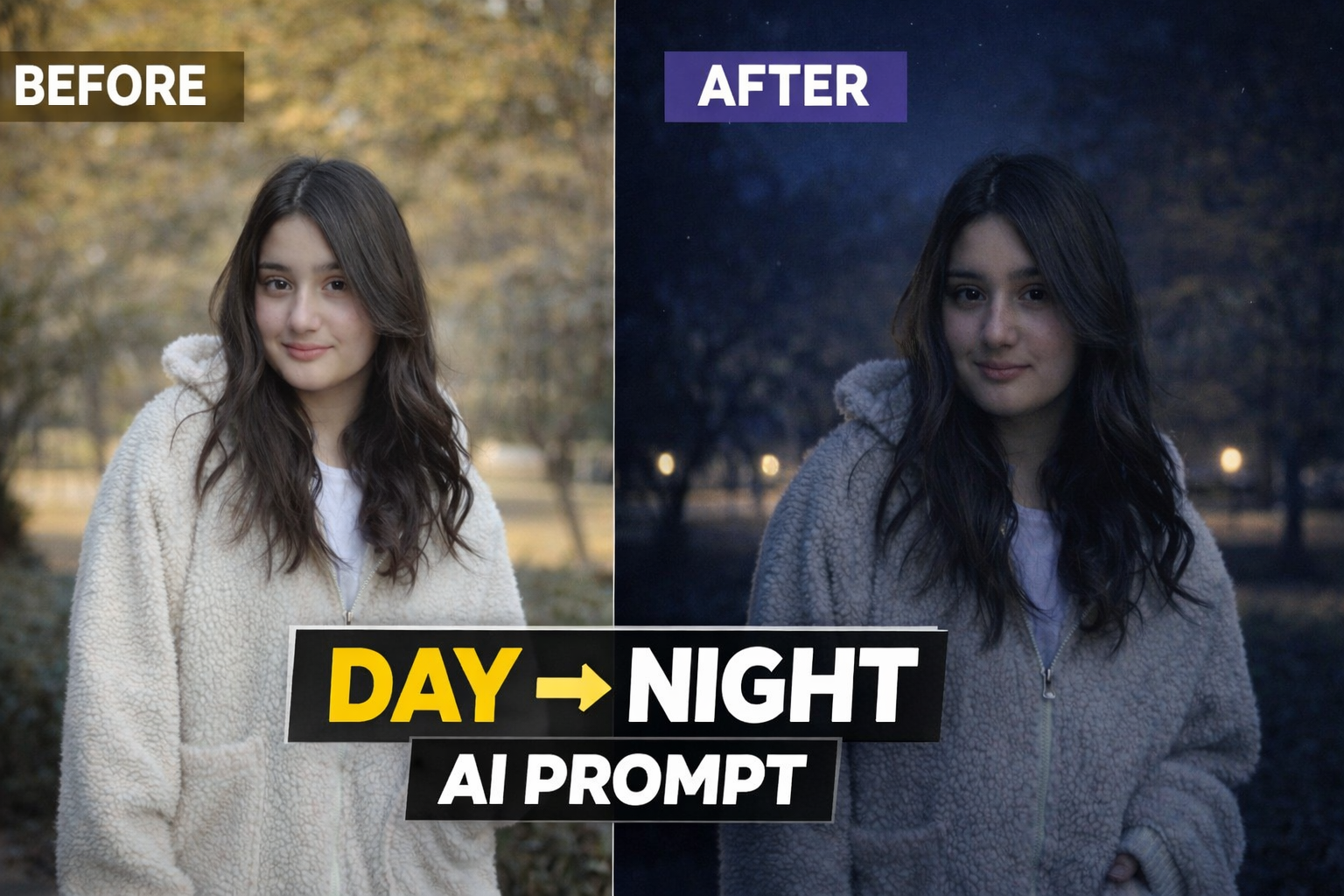
  • Viral Day to Night AI Photo Editing Prompt (Before vs After)

    Viral Day to Night AI Photo Editing Prompt (Before vs After)

    AI photo editing technology has made it easier than ever to transform ordinary photos into creative and cinematic visuals. Many creators are now using AI prompts to apply unique lighting effects and realistic environment changes without using complex editing software.

    One of the most popular editing styles right now is the Day to Night transformation effect. This AI prompt allows you to convert a normal daylight photo into a dramatic nighttime scene while keeping the subject, pose and composition exactly the same.

    In this post, we will share a powerful Day to Night AI photo editing prompt that can transform your normal image into a realistic night portrait with cinematic lighting and atmospheric mood. This style is perfect for Instagram posts, profile pictures, YouTube thumbnails and creative photography projects.

    Use the uploaded image as the exact reference. Recreate the same composition, pose, framing, and perspective. Convert the scene into a realistic nighttime environment with natural dark blue night tones. Add subtle road or street lights in the background with a soft glow and deepen the background shadows. Illuminate the person slightly with soft ambient light (as if from a nearby street light) so the face and upper body are clearly visible while still maintaining a natural night look. Place 2–3 small faint stars in the sky. Ensure the result looks realistic, cinematic, and believable with balanced night lighting, not over-edited or artificial.

    How This AI Prompt Works

    This AI prompt works by changing the lighting environment and color tone of the original image while keeping the subject completely natural and unchanged. The prompt converts the daylight atmosphere into a realistic nighttime scene by adding darker tones, cinematic shadows and subtle light sources.

    The goal of this editing style is not to change the person in the photo but to enhance the overall mood of the image. The AI focuses mainly on lighting effects, background darkness and atmospheric glow to create a natural night look.

    This technique is widely used by digital creators who want to give their photos a dramatic and cinematic feel without doing complicated manual editing.

    How To Use This AI Prompt

    Using this AI prompt is very simple and beginner friendly. You just need your original photo and any AI image generation tool.

    Step 1: Copy the AI prompt provided in this post.

    Step 2: Open any AI image generator such as ChatGPT image tool, Gemini or Leonardo AI.

    Step 3: Upload your original photo as a reference image.

    Step 4: Paste the prompt and generate the image.

    Step 5: Download the final result and use it for social media or creative projects.

    Best Places To Use This Effect

    This Day to Night AI editing style can be used in many different ways:

    Instagram profile photos• YouTube thumbnails• Social media posts• Creative photography projects• Personal portfolio images

    The cinematic night atmosphere makes the image more attractive and professional.

    Conclusion

    AI photo editing prompts are becoming a powerful tool for creators who want to generate high quality images quickly. With the help of this Day to Night AI prompt, you can transform a simple daylight photo into a cinematic night scene within seconds.

    If you enjoy AI photo editing and creative photography, you can explore more prompts and editing ideas on our website. We regularly share new AI prompts that help users create unique and visually appealing images.

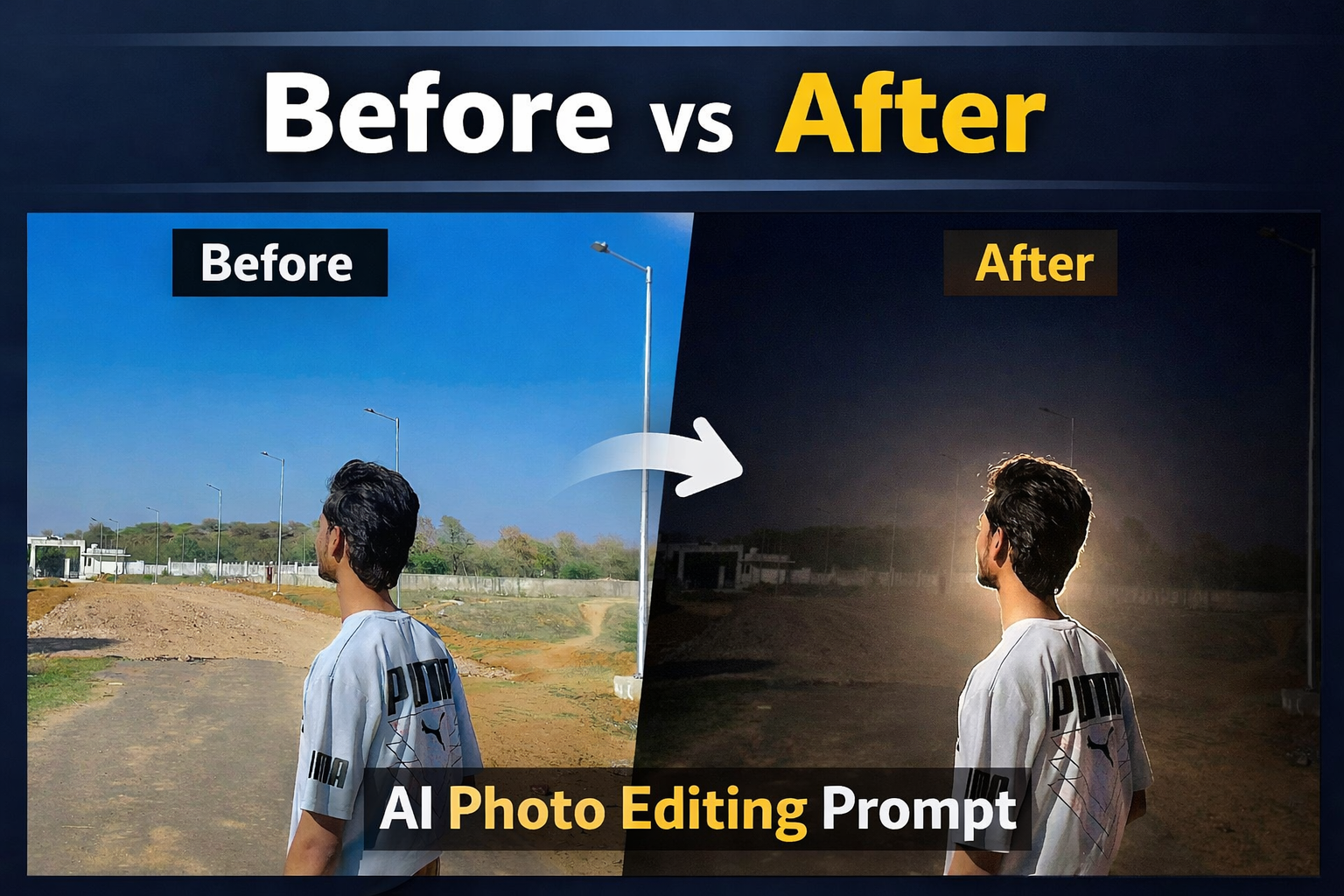
  • Viral Glow Effect AI Photo Editing Prompt (Before vs After)

    Viral Glow Effect AI Photo Editing Prompt (Before vs After)

    Why This AI Prompt Is Trending

    AI photo editing prompts aaj ke time me digital creators ke liye ek powerful tool ban chuke hain. Social media platforms par cinematic glow effect wali images bahut fast viral ho rahi hain kyunki ye normal photos se zyada attractive aur professional lagti hain.

    Is type ka glow lighting effect especially night portrait photography aur cinematic photo editing me use kiya jata hai. Jab subject ke peeche strong light source create kiya jata hai to ek natural halo effect ban jata hai jo photo ko dramatic aur artistic look deta hai.

    AI tools ki help se ye process aur bhi easy ho gaya hai. Ab aapko complicated Photoshop editing karne ki zarurat nahi hoti. Sirf ek detailed AI prompt aur original photo upload karke bhi cinematic glow lighting effect generate kiya ja sakta hai.Isi wajah se AI glow effect prompts Instagram creators, YouTube thumbnail designers aur digital artists ke beech kaafi popular ho rahe hain. Ye prompt specially isi style ko achieve karne ke liye design kiya gaya hai taaki users apni normal photos ko cinematic glow portrait me convert kar saken.

    Best Places to Use This Effect

    Instagram reels cover photos

    • YouTube thumbnails

    • Profile pictures• Social media posts

    • Creative portfolio images

    • Poster style portraits

    Agar aap social media creator ho to is type ki cinematic images audience ka attention jaldi attract karti hain aur aapke content ko aur professional bana deti hain.

    AI Glow Effect Photo Editing Prompt

    Apply a boidnight-flash aesthetic to the uploaded photo while fully preserving every original detail of the image. Hard rule: Do NOT change, reshape, beautify, replace, or alter the subject's face or hair in any way. Face identity, facial structure, skin details, and hair must remain 100% identical to the original photo. Pose, Composition & Framing (LOCKED) Keep the exact same pose, posture, body position, camera angle, framing, crop, and perspective Do NOT move, rotate, resize, or reposition the subject Do NOT alter lens characteristics, focal length, or framing Composition must remain pixel-identical, except for lighting effects. Lighting & Mood Maintain a dark, deep, realistic nighttime environment Preserve all existing shadows, silhouettes, and background details Do NOT brighten or modify the background, except for subtly enhancing existing point lights Illuminate the subject using a strong, warm, direct front-facing flash The subject must be the brightest element in the entire frame Flash focused on the face and upper body Strong separation between bright highlights and soft, deep shadows for a cinematic high-contrast look Add subtle lens bloom, light haze, and a thin atmospheric glow around the face and shoulders Render skin with luminous translucency and gentle peachy tones Enhance stray hair strands with soft backlit highlights Do NOT alter face texture, facial structure, or hair shape Final Goal: Create a cinematic night-flash portrait, with foreground blur and depth layers, while keeping the subject's face, pose, and composition perfectly untouched."
    If you want more trending AI photo editing prompts, you can explore other posts available on our website. We regularly share new creative prompts and editing ideas to help creators generate unique and professional images.

    Conclusion

    AI photo editing prompts creators ke liye ek powerful aur creative tool ban chuke hain. Is post me share kiya gaya viral glow effect prompt aapko ek simple photo ko cinematic night glow portrait me convert karne me help karta hai. Agar aap social media creator, photographer ya digital artist ho to aise prompts aapke content ko aur professional aur visually attractive bana sakte hain.Aap is prompt ko Instagram posts, YouTube thumbnails, reels covers aur creative portfolio images banane ke liye use kar sakte ho. AI tools ki help se ab complex editing ki zarurat nahi hoti aur beginners bhi easily cinematic style images generate kar sakte hain.Agar aapko is type ke aur trending AI photo editing prompts chahiye to hamari website par available baaki posts bhi explore kar sakte ho. Yahan par regularly naye creative prompts aur editing ideas share kiye jaate hain jo aapke content creation ko aur easy aur professional bana sakte hain.