Tag: Viral prompt

  • Viral Day to Night AI Photo Editing Prompt (Before vs After)

    Viral Day to Night AI Photo Editing Prompt (Before vs After)

    AI photo editing technology has made it easier than ever to transform ordinary photos into creative and cinematic visuals. Many creators are now using AI prompts to apply unique lighting effects and realistic environment changes without using complex editing software.

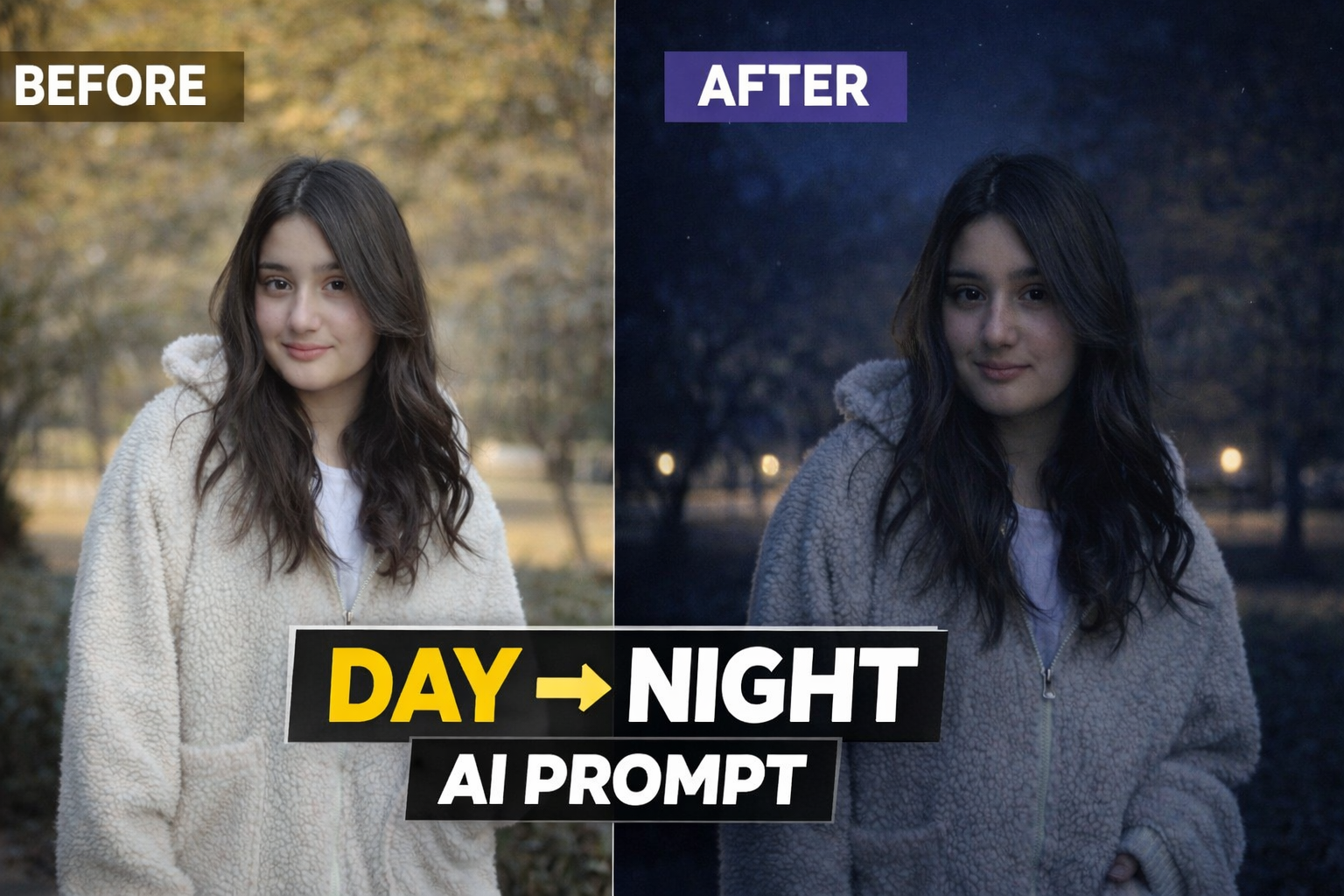
    One of the most popular editing styles right now is the Day to Night transformation effect. This AI prompt allows you to convert a normal daylight photo into a dramatic nighttime scene while keeping the subject, pose and composition exactly the same.

    In this post, we will share a powerful Day to Night AI photo editing prompt that can transform your normal image into a realistic night portrait with cinematic lighting and atmospheric mood. This style is perfect for Instagram posts, profile pictures, YouTube thumbnails and creative photography projects.
    Use the uploaded image as the exact reference. Recreate the same composition, pose, framing, and perspective. Convert the scene into a realistic nighttime environment with natural dark blue night tones. Add subtle road or street lights in the background with a soft glow and deepen the background shadows. Illuminate the person slightly with soft ambient light (as if from a nearby street light) so the face and upper body are clearly visible while still maintaining a natural night look. Place 2–3 small faint stars in the sky. Ensure the result looks realistic, cinematic, and believable with balanced night lighting, not over-edited or artificial.

    How This AI Prompt Works

    This AI prompt works by changing the lighting environment and color tone of the original image while keeping the subject completely natural and unchanged. The prompt converts the daylight atmosphere into a realistic nighttime scene by adding darker tones, cinematic shadows and subtle light sources.

    The goal of this editing style is not to change the person in the photo but to enhance the overall mood of the image. The AI focuses mainly on lighting effects, background darkness and atmospheric glow to create a natural night look.

    This technique is widely used by digital creators who want to give their photos a dramatic and cinematic feel without doing complicated manual editing.

    How To Use This AI Prompt

    Using this AI prompt is very simple and beginner friendly. You just need your original photo and any AI image generation tool.

    Step 1: Copy the AI prompt provided in this post.

    Step 2: Open any AI image generator such as ChatGPT image tool, Gemini or Leonardo AI.

    Step 3: Upload your original photo as a reference image.

    Step 4: Paste the prompt and generate the image.

    Step 5: Download the final result and use it for social media or creative projects.

    Best Places To Use This Effect

    This Day to Night AI editing style can be used in many different ways:

    Instagram profile photos• YouTube thumbnails• Social media posts• Creative photography projects• Personal portfolio images

    The cinematic night atmosphere makes the image more attractive and professional.

    Conclusion

    AI photo editing prompts are becoming a powerful tool for creators who want to generate high quality images quickly. With the help of this Day to Night AI prompt, you can transform a simple daylight photo into a cinematic night scene within seconds.

    If you enjoy AI photo editing and creative photography, you can explore more prompts and editing ideas on our website. We regularly share new AI prompts that help users create unique and visually appealing images.
  • Dark Cinematic Portrait AI Photo Editing Prompt (Low-Light Keffiyeh Style)

    Dark Cinematic Portrait AI Photo Editing Prompt (Low-Light Keffiyeh Style)

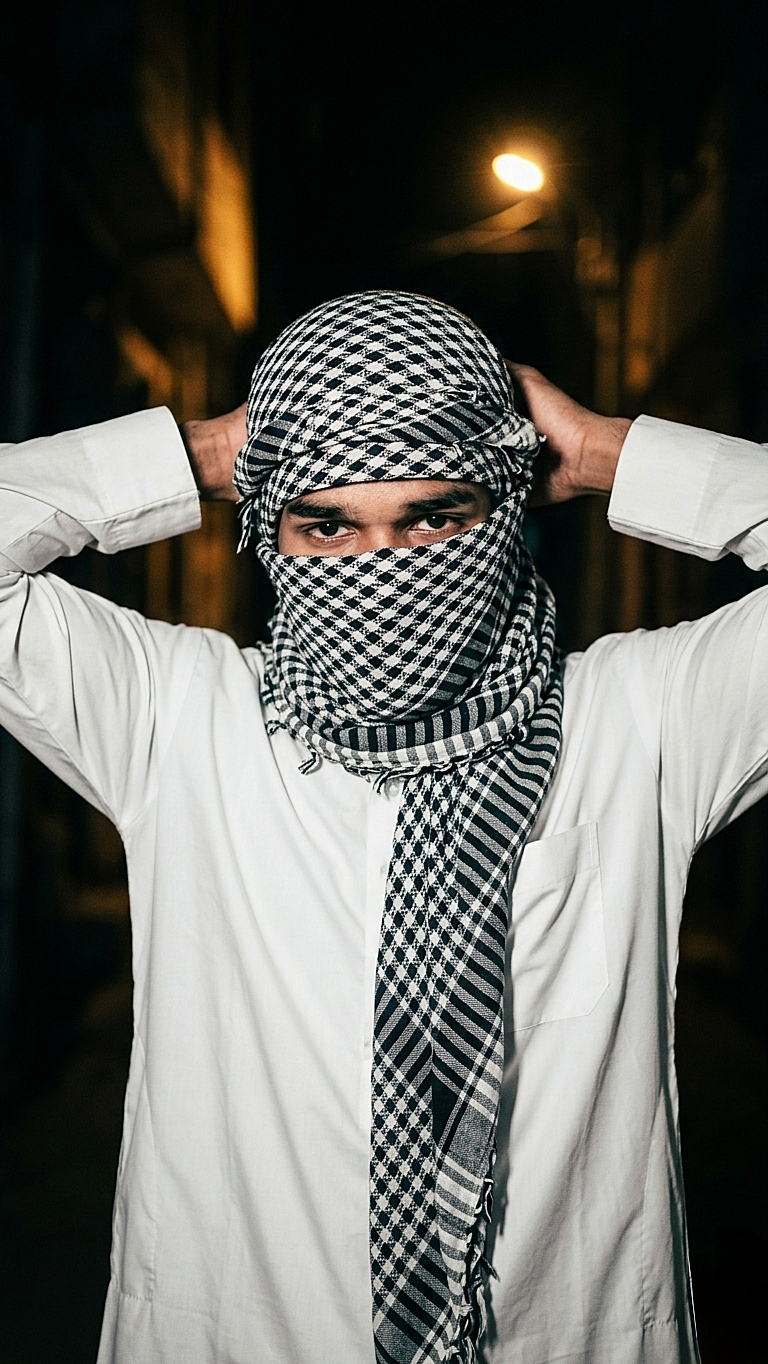
    In recent years, cinematic AI photo editing has become very popular among creators and social media users. Many people want their normal photos to look dramatic, professional, and visually powerful with dark lighting, strong contrast, and a mysterious mood. In this post, you will find a high-quality AI photo editing prompt that can transform a simple portrait photo into a dark cinematic night portrait style.This prompt is specially designed to enhance lighting, shadows, and overall atmosphere while keeping the original face and pose of the subject natural. The goal is not to completely change the image but to give it a professional cinematic look that feels like a scene from a movie.This type of editing style is widely used for Instagram reels covers, profile photos, posters, and creative social media content. Even beginners can easily create this effect using modern AI tools such as ChatGPT image tools, Gemini, Leonardo AI, or other image generators.Below you will find the prompt along with step-by-step guidance on how to use it and tips to get the best results from your photo.

    What is a Dark Cinematic Portrait Style?

    Dark cinematic portrait style ek aisa photo editing concept hai jisme image ko dramatic aur movie-like look diya jata hai. Is style me lighting, shadows aur background atmosphere ka use karke ek mysterious aur powerful visual effect create kiya jata hai. Normally is type ki images me low-light environment, strong contrast aur focused lighting hoti hai jo subject ke face aur expression ko highlight karti hai.Is editing style ka main purpose ye hota hai ki normal photo ko ek professional cinematic scene jaisa feel diya ja sake. Isme background ko thoda dark aur moody rakha jata hai jabki subject par soft ya directional light use ki jati hai taaki depth aur realism create ho.Aaj kal social media creators, photographers aur digital artists is style ka use Instagram reels covers, profile photos, posters aur creative portfolio ke liye karte hain. AI tools ki help se ye effect banana ab kaafi easy ho gaya hai aur beginners bhi bina advanced editing skills ke cinematic results create kar sakte hain.

    Why This AI Prompt Is Useful

    Ye AI prompt specially un logon ke liye useful hai jo apni simple portrait photo ko cinematic aur professional look dena chahte hain. Is prompt ka focus subject ke original features ko preserve karte hue lighting aur background mood ko enhance karna hai.Iska matlab hai ki final image me face natural rahega lekin overall scene zyada dramatic aur visually appealing lagega.Is prompt ko use karke aap apni photos ko:cinematic portrait style me convert kar sakte hodark mood photography effect create kar sakte hosocial media ke liye eye-catching visuals bana sakte hoprofessional looking AI generated portraits create kar sakte ho

    A high-contrast, low-light portrait of a young white tone man at night. He is wearing a white thobe and a traditional black and white keffiyeh wrapped around his head and face, with only his eyes visible. His hands are raised to his back of head, adjusting the fabric. The background is a dark, shadowy outdoor setting with a single warm light source in the distance. The overall mood is mysterious and gritty, with sharp focus on the patterns of the scarf.”

    How to Use This AI Photo Editing Prompt

    Is AI photo editing prompt ka use karna bahut simple hai. Agar aap beginner bhi ho to bhi aap easily is prompt ki help se cinematic portrait images create kar sakte ho. Neeche diye gaye steps follow karke aap apni normal photo ko professional cinematic style me convert kar sakte hain.

    Step 1

    Sabse pehle upar diya gaya AI prompt copy karein.

    Step 2

    Apna favourite AI image generator open karein jaise ChatGPT image tool, Gemini, Leonardo AI ya koi bhi reliable AI image generator.

    Step 3

    Copied prompt ko paste karein aur apni original portrait photo upload karein.

    Step 4

    Generate button par click karein aur AI ko image process karne dein.Step 5Image generate hone ke baad best result ko download karein aur apne social media ya personal projects me use karein.

    Tips for Better Results

    Agar aap best cinematic result chahte ho to kuch important baaton ka dhyaan rakhein:Photo clear aur high quality honi chahiye.Subject ka face properly visible hona chahiye.Background simple ho to AI ko subject identify karne me asaani hoti hai.Low light ya dramatic lighting wali photos par ye prompt aur bhi achha kaam karta hai.

    Final Thoughts

    AI photo editing aaj ke time me creative content banane ka ek powerful tool ban chuka hai. Is tarah ke cinematic prompts ki help se koi bhi normal photo ko ek dramatic aur professional visual style me convert kar sakta hai. Agar aap social media creator, photographer ya digital artist ho to aise AI prompts aapke creative workflow ko aur bhi fast aur interesting bana dete hain.Is post me diya gaya prompt specially cinematic dark portrait style ke liye design kiya gaya hai jisse lighting, background aur mood ek professional movie scene jaisa feel dete hain. Aap is prompt ko apni personal photos, social media posts, reels covers, thumbnails ya creative projects ke liye use kar sakte hain.Agar aap different variations try karna chahte hain to prompt me thode changes karke naye styles bhi generate kar sakte hain. AI tools ka advantage ye hai ki aap multiple results test karke best looking image choose kar sakte ho.Hamari website par regularly naye AI photo editing prompts aur creative ideas share kiye jaate hain jisse aap apne editing skills ko improve kar sakte ho aur unique content create kar sakte ho.

    Disclaimer

    Is post me share kiye gaye sabhi AI prompts educational aur creative purposes ke liye provide kiye gaye hain. Is page par dikhayi gayi images sirf example ke liye use ki gayi hain taaki users ko prompt ka expected result samajhne me help mile.Hum kisi bhi real person, public figure ya character ka official representation claim nahi karte. AI generated results different tools aur input images ke according change ho sakte hain.Users ko advise kiya jata hai ki AI generated images ka use responsibly karein aur kisi bhi platform ke rules aur policies ka dhyaan rakhein.