Tag: Viral ai editing

  • Viral Anime Reel Edit AI  (Cinematic Style)

    Viral Anime Reel Edit AI (Cinematic Style)

    nime style photo editing is currently one of the most viral trends on social media platforms like Instagram, YouTube, and TikTok. Creators are transforming their normal photos into cinematic anime-style visuals that look aesthetic, emotional, and highly engaging.

    These anime edits often include soft lighting, glowing particles, dreamy backgrounds, and smooth skin tones that give a unique animated feel. Because of this, anime-style edits are getting massive attention and going viral quickly.

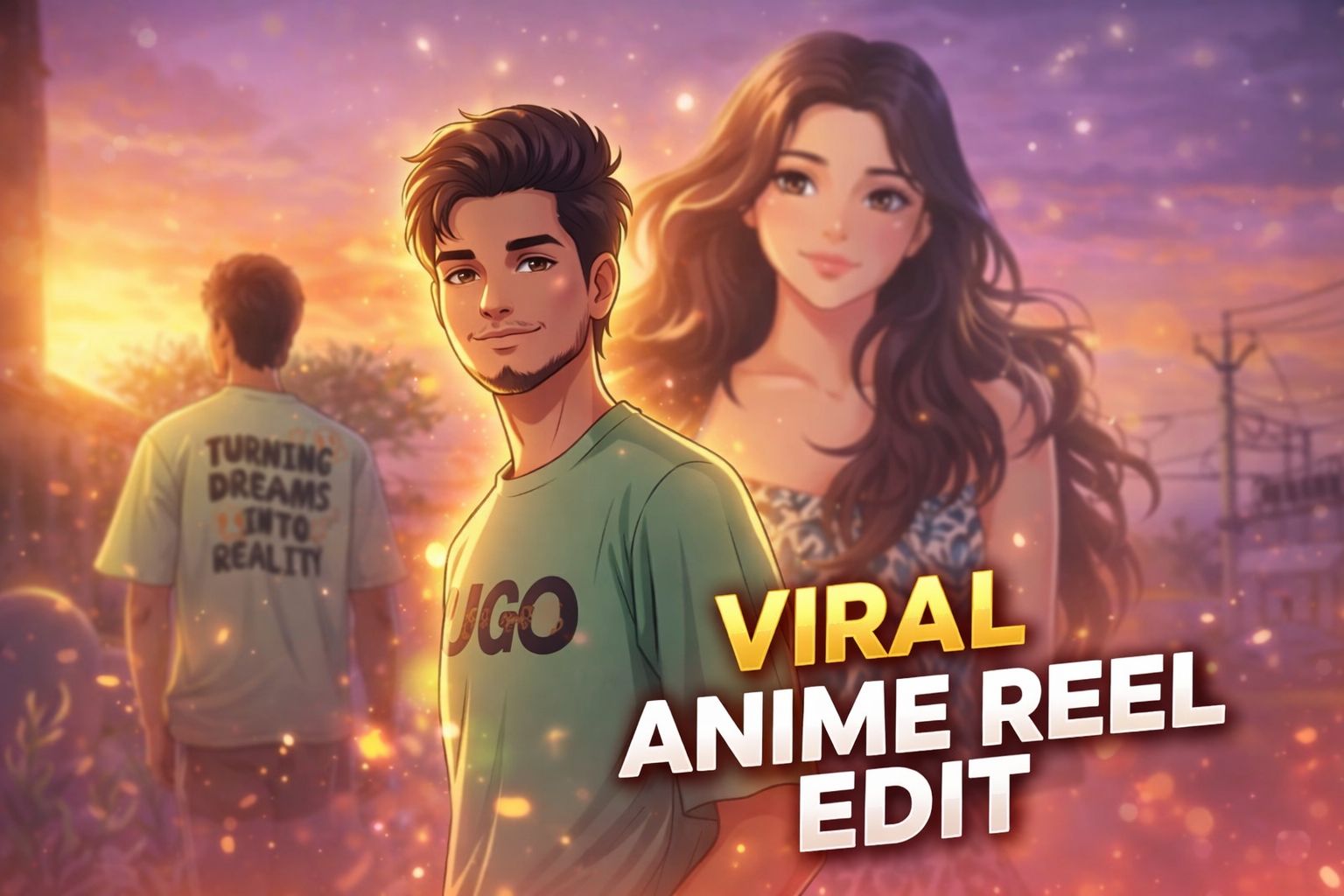
    In this post, we are sharing a viral anime reel edit AI prompt that helps you convert your normal photo into a cinematic anime-style image with glowing effects and a beautiful background.

    Why This Anime AI Prompt Is Trending

    Anime edits are trending because they combine real-life photos with animated cinematic effects. This creates a unique visual experience that stands out on social media.

    Many creators use anime-style edits in reels and shorts because they attract more views and engagement. The soft glow, romantic lighting, and emotional vibe make these edits perfect for storytelling content.

    With AI tools, creating anime-style edits has become very easy. You don’t need advanced editing skills — just use a well-written prompt and get professional results instantly.
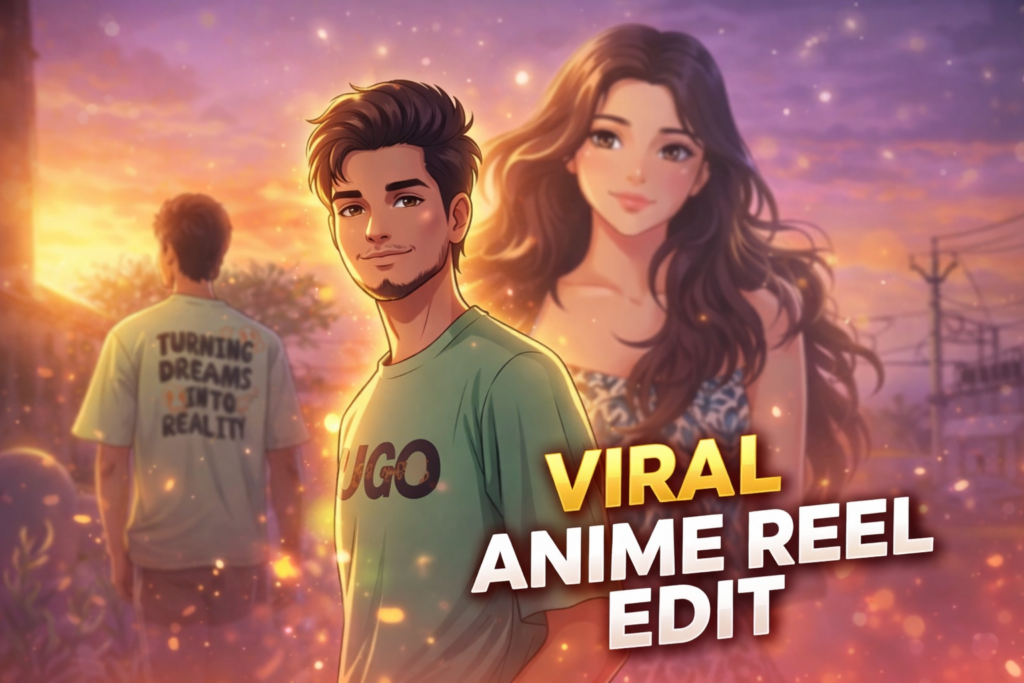
    IMAGE PROMPT

    Transform the provided portrait photo into a soft cinematic digital illustration in anime style. Keep the same face, same hairstyle, same expression, and same pose. Style inspired by modern anime portrait illustration with smooth line art, soft cel shading, and warm cinematic lighting. Add a glowing orange and purple atmosphere. Include subtle floating particles and soft lens flares around the subject. Add small glowing fish swimming in the foreground with slightly blurred aquatic plants. Skin should be rendered in smooth anime shading with expressive eyes, clean linework, and stylized yet realistic proportions. Lighting should include warm golden light from one side and soft purple ambient light from the background, creating a dreamy atmosphere. Ultra-detailed digital painting with clean gradients, soft glow effects, cinematic color grading, and depth of field. Keep the exact framing of the original photo (chest-up portrait) with a soft blurred background. High detail, ultra-clean digital art.

    VIDEO PROMPT

    Animate this anime-style portrait with subtle cinematic motion. The character remains still while the environment gently moves. Small glowing particles slowly float in the air around the character. Soft cinematic light flares move across the frame. Tiny glowing fish in the foreground slowly swim from left to right and slightly up and down. Aquatic plants gently sway as if underwater. Very soft wind slightly moves the character's hair. Lighting softly flickers, creating dreamy reflections on the face. The camera performs a very slow cinematic push-in toward the character. Atmosphere is magical, dreamy, and calm. Ultra-smooth motion, natural animation, anime film style. No distortion, no face change—keep the character exactly the same.

    Tools Used In This Edit

    This anime-style edit was created using a combination of AI tools and manual editing techniques.

    • Gemini AI – Used to generate the base AI image using advanced prompts

    • Flow Labs – Helped refine and enhance the AI output

    • CapCut – Used for final adjustments like color grading, glow effects, and cinematic finishingBy combining these tools, you can achieve a professional anime-style result without using complex software like Photoshop.

    Editing Process (Step-by-Step)

    Step 1: Generate the base image using Gemini AI with a detailed prompt

    Step 2: Refine the output using Flow Labs for better quality and details

    Step 3: Import the image into CapCut

    Step 4: Add glow effects, lighting, and color grading

    Step 5: Export the final cinematic anime edit

    Best Use Cases

    • Instagram reels cover photos

    • YouTube shorts thumbnails

    • Profile pictures• Romantic edits

    • Viral social media content

    Conclusion

    Anime-style AI photo editing is a powerful way to create visually stunning and viral content. With the help of this prompt, you can easily transform your normal photo into a cinematic anime scene with glowing effects and a dreamy atmosphere.

    If you love creating AI edits, explore more trending prompts on our website and take your editing skills to the next level.
  • 3 Viral AI Photo Style Prompt

    3 Viral AI Photo Style Prompt

    AI photo editing has become one of the fastest growing trends in digital content creation. Many creators are using AI prompts to transform their normal photos into cinematic and professional looking images.

    With the help of AI image tools, anyone can easily generate high quality and creative visuals without advanced editing skills.On platforms like Instagram, YouTube and other social media networks, unique AI photo styles are becoming very popular. From cinematic portraits to creative storytelling images, AI prompts make it possible to create visually attractive photos in just a few seconds.

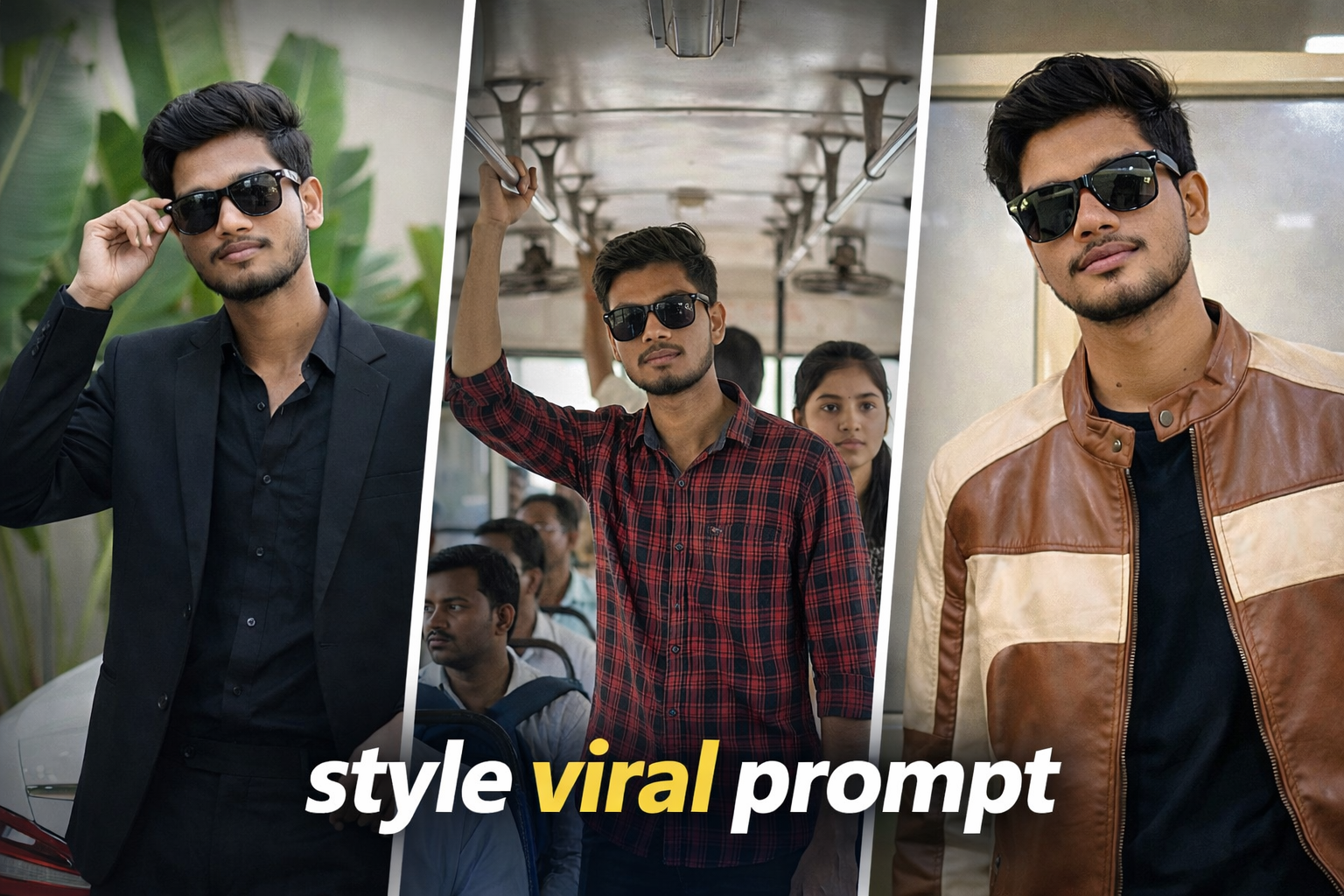
    In this post, we are sharing 3 viral AI photo style prompts that you can use to turn your normal photo into a creative and professional looking image. These prompts are beginner friendly and can be used with most AI image generation tools.

    Use the uploaded image as the only reference.Keep the person exactly the same — same face, skin tone, curly hairstyle, facial structure, expression, body proportions and pose (100% face match, identity locked).Recreate the exact same scene and composition:Stylish outdoor portrait of the person standing in front of large tropical green leaves (banana-style foliage) near a modern building wall.He is wearing a black tailored suit with a black shirt underneath, slightly open at the collar.Right hand lifting/adjusting black sunglasses near the face, left arm resting casually on the rear of a white luxury car.Relaxed confident expression with a subtle smile.Background details must remain the same: Large layered green leaves filling most of the background, light beige exterior wall, natural outdoor setting, white car trunk visible on the right side.Camera & framing: Medium full vertical portrait (mid-thigh to head), eye-level angle, subject slightly left of center, natural balanced composition.Lighting: Soft natural daylight, even lighting on face and suit, gentle highlights on hair and leaves, realistic skin tone, minimal harsh shadows.Color & tone: Clean natural color grading, rich green foliage tones, deep blacks in suit, subtle contrast, sharp focus, shallow depth of field while background remains recognizable.Ultra-realistic, photorealistic, 8K resolution, crisp suit texture detail, sharp facial clarity, no pose change, no angle change, no outfit change, no extra elements, no text, no watermark, no distortion.
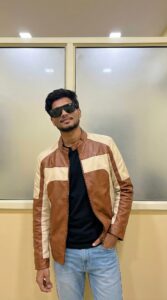
    Use the uploaded image as the only reference.Keep the person exactly the same — same face, skin tone, hairstyle, facial structure, expression, body proportions and pose (100% face match, identity locked).Recreate the exact same scene and composition:Modern indoor fashion portrait of the person standing casually against a minimalist yellow-beige wall with two large frosted glass panels behind.He is wearing black oversized sunglasses, a black inner t-shirt, light blue jeans, and a brown-and-cream color-block leather jacket.Right hand placed inside the jeans pocket, left arm relaxed down, body slightly leaning to one side, chin slightly raised, confident relaxed expression.Camera & framing:Medium full-body vertical portrait (mid-thigh to head), eye-level angle, centered composition with symmetrical wall panels behind.Lighting:Soft indoor ambient lighting from above, clean even illumination on face and jacket, minimal harsh shadows, natural skin tone, subtle highlight on leather texture.Color & tone:Neutral warm indoor tones, soft contrast, clean fashion editorial look, accurate fabric texture details, sharp focus, shallow depth of field but background clearly defined.Ultra-realistic, photorealistic, 8K resolution, high-detail leather texture, crisp facial clarity, no pose change, no angle change, no outfit change, no extra elements, no text, no watermark, no distortion.
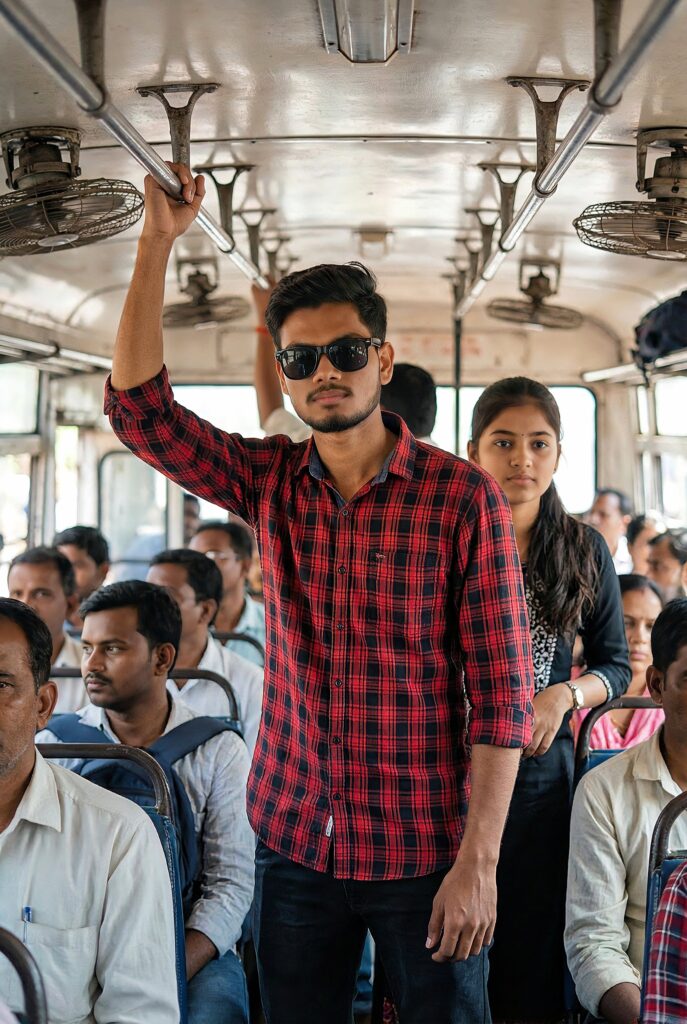
    Use the uploaded image as the only reference.Keep the person exactly the same — same face, beard, hairstyle, skin tone, body build, expression, outfit, sunglasses, pose and proportions (100% face match).Recreate the exact same scene and composition:The person standing inside a crowded bus interior, slightly leaning forward with a dominant confident posture, wearing a red-black checkered shirt (sleeves rolled), dark pants, black sunglasses, light beard and styled hair.Right arm relaxed downward, left arm slightly bent, intense serious expression, head slightly tilted downward while looking forward.Background:Public bus interior with metal bars and overhead panels visible, passengers standing behind him slightly blurred, natural cramped space composition, same framing and crowd placement as reference.Camera & angle:Medium full-body vertical shot (mid-thigh to head), eye-level slightly low angle for powerful look, subject centered, natural tight indoor framing.Lighting & color:Soft natural indoor daylight filtering from bus windows, realistic skin tones, mild contrast, cinematic color grading, clean highlights, subtle shadow depth, sharp focus on subject, shallow depth of field.Ultra-realistic, photorealistic, 8K resolution, high detail, HDR, no pose change, no outfit change, no angle change, no extra elements, no text, no logos, no watermark, no distortion.

    Conclusion

    AI photo editing prompts are becoming a powerful tool for creators who want to generate unique and professional looking images. By using the right prompts, you can transform a simple photo into a cinematic visual within seconds.If you are a social media creator or someone who enjoys creative photography, these AI prompts can help you create impressive images easily. We regularly share new AI photo editing prompts and creative ideas on our website to help you explore different styles and techniques.

    Why This AI Prompt Is Trending

    AI photo editing prompts are becoming increasingly popular among social media creators and digital artists. The reason behind this trend is that AI tools allow users to transform normal photos into professional and cinematic visuals without complex editing skills.This particular AI photo style is trending because it combines realistic lighting, cinematic composition and modern portrait aesthetics. Many creators use this style for Instagram posts, YouTube thumbnails and personal branding images.

    How To Use This AI Prompt

    Using this AI prompt is very simple and beginner friendly. You just need a basic photo and an AI image generation tool.

    Step 1: Copy the AI prompt provided in this post.

    Step 2: Open any AI image generator such as ChatGPT, Gemini, Leonardo AI or similar tools.

    Step 3: Upload your original photo as the reference image.

    Step 4: Paste the prompt and generate the image.

    Step 5: Download the final result and use it for your social media or creative projects.

    Best Places To Use This AI Style

    This type of cinematic AI photo style can be used for many different purposes:

    • Instagram profile photos

    • YouTube thumbnails

    • Social media posts

    • Personal portfolio images

    • Creative photography projectsThe cinematic glow and realistic lighting make the final image look more professional and visually attractive.