Tag: Trending

  • How to Create a Cinematic AI Portrait from Any Photo | Free AI Prompt

    How to Create a Cinematic AI Portrait from Any Photo | Free AI Prompt

    Introduction

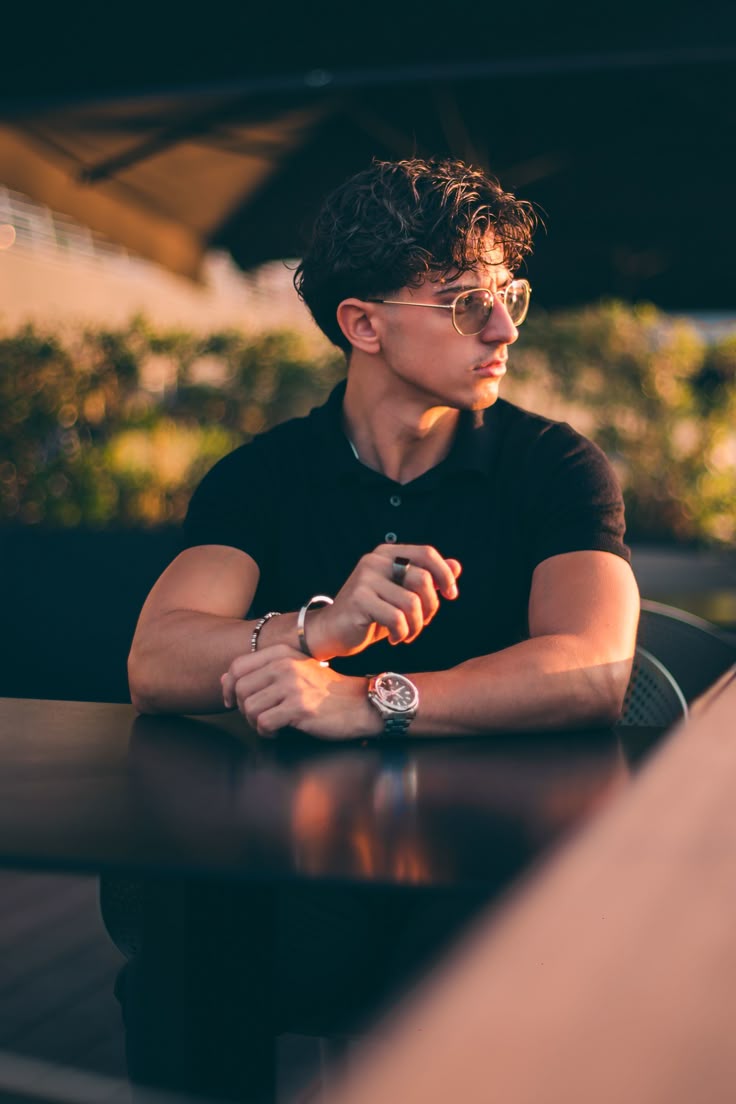
    AI photo editing has made it much easier to give ordinary pictures a professional and cinematic appearance. With the right prompt, you can enhance lighting, create depth, improve the overall atmosphere, and give a portrait the look of a professionally photographed image.

    In this guide, I will show you a simple way to create a cinematic AI portrait from an existing photo. You can use your own image and apply the prompt below in a compatible AI image-editing tool.

    The goal is not to completely change the original photograph. Instead, the prompt focuses on improving the visual atmosphere while keeping the subject recognizable and natural.

    What You Can Create With This Prompt

    This editing approach can help you create:

    • Cinematic portrait lighting
    • Natural depth and background separation
    • Soft highlights and realistic shadows
    • Professional color grading
    • Subtle glow and atmospheric effects
    • A more polished photography-style appearance

    It can work particularly well for profile pictures, social media posts, creative portraits, thumbnails, and personal photography projects.

    Free Cinematic AI Photo Editing Prompt

    Transform the uploaded photo into a high-end cinematic portrait while preserving the original subject and important details of the photograph. Keep the person’s facial identity, facial structure, skin texture, hairstyle, clothing, pose, body proportions, camera perspective, and overall composition naturally consistent with the original image.

    Create a professional cinematic photography atmosphere with realistic depth, balanced contrast, soft directional lighting, subtle highlights, and naturally rich shadows. Enhance the existing environment without replacing it unnecessarily.

    Add gentle background separation and realistic depth of field while keeping the subject sharp and detailed. Introduce subtle atmospheric haze and a soft cinematic glow around bright areas without making the image look artificial.

    Apply refined cinematic color grading with natural skin tones, realistic textures, controlled highlights, and detailed shadows. Maintain authentic photographic details and avoid excessive smoothing, plastic-looking skin, unrealistic facial changes, or artificial features.

    The final result should look like a professionally captured cinematic portrait photograph, with realistic lighting, natural details, strong visual depth, and a premium photography aesthetic.

    How to Use the Prompt

    Using the prompt is quite simple.

    Step 1: Choose a clear photo with good subject visibility.

    Step 2: Upload the image to an AI image-editing tool that supports image-based editing.

    Step 3: Paste the cinematic portrait prompt provided above.

    Step 4: Generate the edited image and compare it with the original.

    Step 5: If the result changes important details, try generating again with stronger instructions to preserve the original subject.

    Tips for a Better Result

    For better results, start with a reasonably clear image. Extremely blurry or heavily compressed photos may produce less accurate results.

    It is also better to avoid adding too many different visual effects in one prompt. A cinematic result usually looks more realistic when the lighting, contrast, depth, and color grading are enhanced subtly.

    For portraits, maintaining natural skin texture is especially important. Excessive sharpening or face enhancement can make an AI-generated image look less realistic.

    Where You Can Use the Cinematic Portrait Effect

    You can use this style for:

    • Instagram profile pictures
    • Social media posts
    • YouTube thumbnails
    • Creator portraits
    • Portfolio images
    • Poster designs
    • Personal photography
    • Creative AI projects

    Final Thoughts

    Creating a cinematic portrait no longer requires advanced photo-editing skills. A well-written AI prompt can help transform the lighting, depth, atmosphere, and overall presentation of an existing photograph.

    The most important part is to use the prompt as a starting point and make small adjustments depending on the original image. Different photos may require different lighting and background instructions to achieve the most natural result.
  • Dark Cinematic Portrait AI Photo Editing Prompt (Low-Light Keffiyeh Style)

    Dark Cinematic Portrait AI Photo Editing Prompt (Low-Light Keffiyeh Style)

    In recent years, cinematic AI photo editing has become very popular among creators and social media users. Many people want their normal photos to look dramatic, professional, and visually powerful with dark lighting, strong contrast, and a mysterious mood. In this post, you will find a high-quality AI photo editing prompt that can transform a simple portrait photo into a dark cinematic night portrait style.This prompt is specially designed to enhance lighting, shadows, and overall atmosphere while keeping the original face and pose of the subject natural. The goal is not to completely change the image but to give it a professional cinematic look that feels like a scene from a movie.This type of editing style is widely used for Instagram reels covers, profile photos, posters, and creative social media content. Even beginners can easily create this effect using modern AI tools such as ChatGPT image tools, Gemini, Leonardo AI, or other image generators.Below you will find the prompt along with step-by-step guidance on how to use it and tips to get the best results from your photo.

    What is a Dark Cinematic Portrait Style?

    Dark cinematic portrait style ek aisa photo editing concept hai jisme image ko dramatic aur movie-like look diya jata hai. Is style me lighting, shadows aur background atmosphere ka use karke ek mysterious aur powerful visual effect create kiya jata hai. Normally is type ki images me low-light environment, strong contrast aur focused lighting hoti hai jo subject ke face aur expression ko highlight karti hai.Is editing style ka main purpose ye hota hai ki normal photo ko ek professional cinematic scene jaisa feel diya ja sake. Isme background ko thoda dark aur moody rakha jata hai jabki subject par soft ya directional light use ki jati hai taaki depth aur realism create ho.Aaj kal social media creators, photographers aur digital artists is style ka use Instagram reels covers, profile photos, posters aur creative portfolio ke liye karte hain. AI tools ki help se ye effect banana ab kaafi easy ho gaya hai aur beginners bhi bina advanced editing skills ke cinematic results create kar sakte hain.

    Why This AI Prompt Is Useful

    Ye AI prompt specially un logon ke liye useful hai jo apni simple portrait photo ko cinematic aur professional look dena chahte hain. Is prompt ka focus subject ke original features ko preserve karte hue lighting aur background mood ko enhance karna hai.Iska matlab hai ki final image me face natural rahega lekin overall scene zyada dramatic aur visually appealing lagega.Is prompt ko use karke aap apni photos ko:cinematic portrait style me convert kar sakte hodark mood photography effect create kar sakte hosocial media ke liye eye-catching visuals bana sakte hoprofessional looking AI generated portraits create kar sakte ho

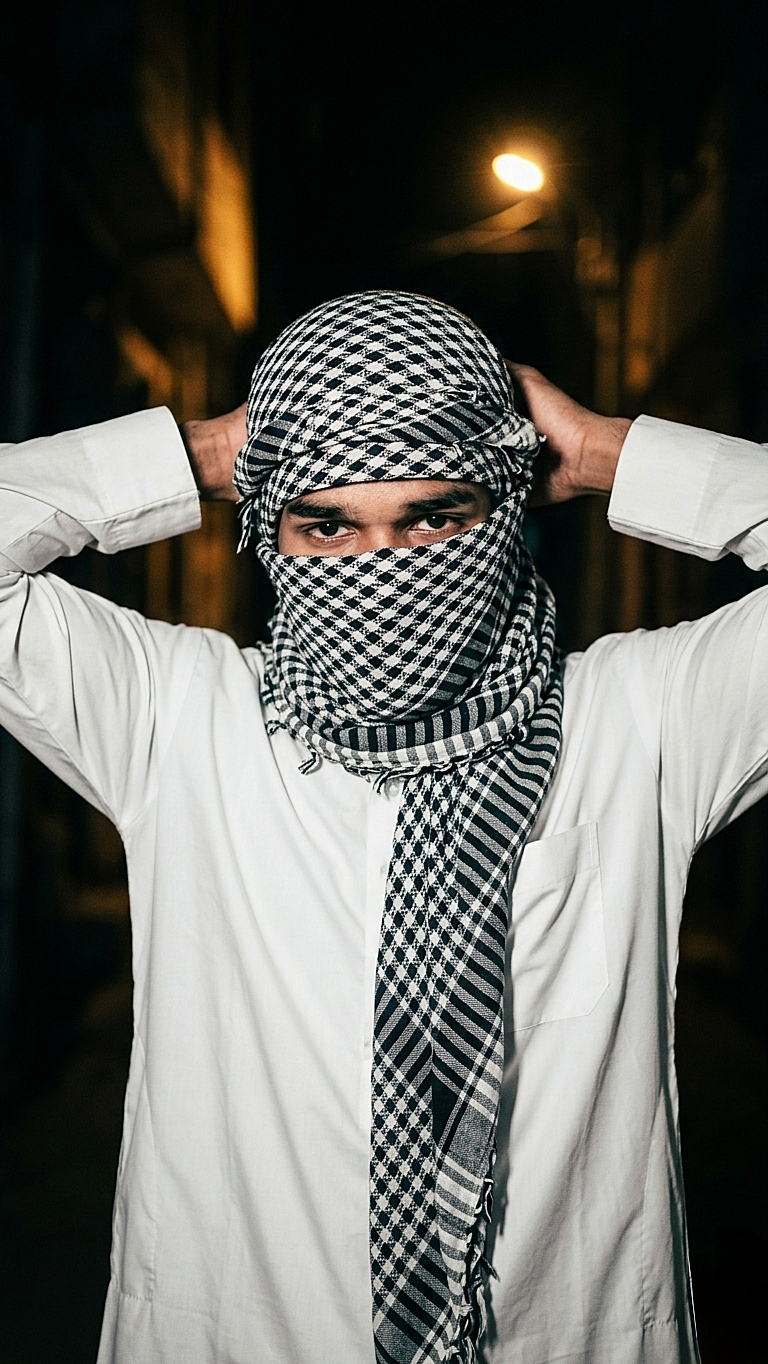
    A high-contrast, low-light portrait of a young white tone man at night. He is wearing a white thobe and a traditional black and white keffiyeh wrapped around his head and face, with only his eyes visible. His hands are raised to his back of head, adjusting the fabric. The background is a dark, shadowy outdoor setting with a single warm light source in the distance. The overall mood is mysterious and gritty, with sharp focus on the patterns of the scarf.”

    How to Use This AI Photo Editing Prompt

    Is AI photo editing prompt ka use karna bahut simple hai. Agar aap beginner bhi ho to bhi aap easily is prompt ki help se cinematic portrait images create kar sakte ho. Neeche diye gaye steps follow karke aap apni normal photo ko professional cinematic style me convert kar sakte hain.

    Step 1

    Sabse pehle upar diya gaya AI prompt copy karein.

    Step 2

    Apna favourite AI image generator open karein jaise ChatGPT image tool, Gemini, Leonardo AI ya koi bhi reliable AI image generator.

    Step 3

    Copied prompt ko paste karein aur apni original portrait photo upload karein.

    Step 4

    Generate button par click karein aur AI ko image process karne dein.Step 5Image generate hone ke baad best result ko download karein aur apne social media ya personal projects me use karein.

    Tips for Better Results

    Agar aap best cinematic result chahte ho to kuch important baaton ka dhyaan rakhein:Photo clear aur high quality honi chahiye.Subject ka face properly visible hona chahiye.Background simple ho to AI ko subject identify karne me asaani hoti hai.Low light ya dramatic lighting wali photos par ye prompt aur bhi achha kaam karta hai.

    Final Thoughts

    AI photo editing aaj ke time me creative content banane ka ek powerful tool ban chuka hai. Is tarah ke cinematic prompts ki help se koi bhi normal photo ko ek dramatic aur professional visual style me convert kar sakta hai. Agar aap social media creator, photographer ya digital artist ho to aise AI prompts aapke creative workflow ko aur bhi fast aur interesting bana dete hain.Is post me diya gaya prompt specially cinematic dark portrait style ke liye design kiya gaya hai jisse lighting, background aur mood ek professional movie scene jaisa feel dete hain. Aap is prompt ko apni personal photos, social media posts, reels covers, thumbnails ya creative projects ke liye use kar sakte hain.Agar aap different variations try karna chahte hain to prompt me thode changes karke naye styles bhi generate kar sakte hain. AI tools ka advantage ye hai ki aap multiple results test karke best looking image choose kar sakte ho.Hamari website par regularly naye AI photo editing prompts aur creative ideas share kiye jaate hain jisse aap apne editing skills ko improve kar sakte ho aur unique content create kar sakte ho.

    Disclaimer

    Is post me share kiye gaye sabhi AI prompts educational aur creative purposes ke liye provide kiye gaye hain. Is page par dikhayi gayi images sirf example ke liye use ki gayi hain taaki users ko prompt ka expected result samajhne me help mile.Hum kisi bhi real person, public figure ya character ka official representation claim nahi karte. AI generated results different tools aur input images ke according change ho sakte hain.Users ko advise kiya jata hai ki AI generated images ka use responsibly karein aur kisi bhi platform ke rules aur policies ka dhyaan rakhein.