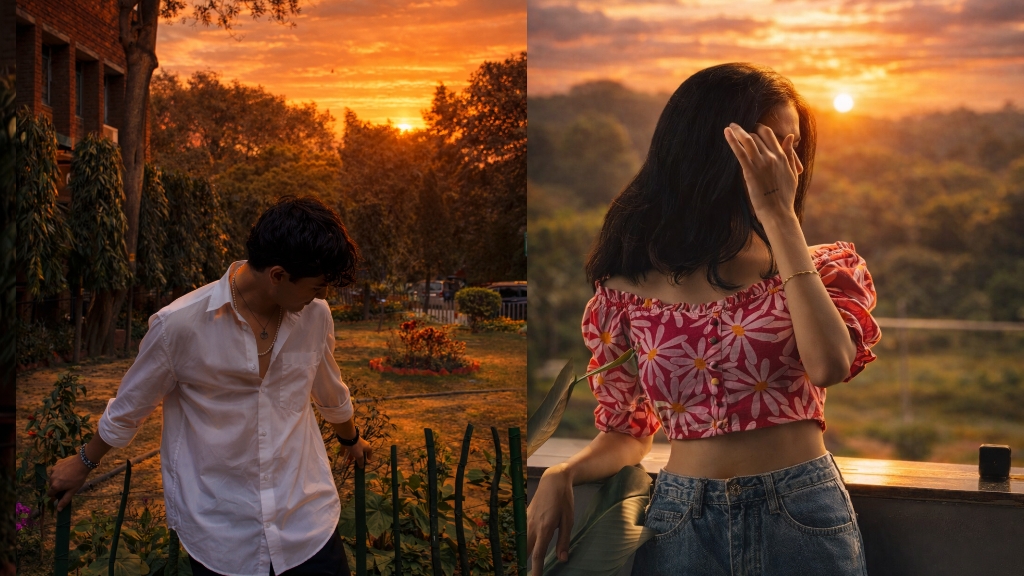
In this post, you will get a simple AI prompt to upscale your sunset photos into HDR quality with better colors, sharpness and realistic lighting.This prompt is only for educational and creative use.
How to use this prompt This prompt is for people who want to turn normal sunset photos into clean, colorful HDR style images using AI.Just upload your photo in Gemini or ChatGPT, paste the prompt below and generate your result. For best output, use a clear photo with visible sunset light and proper focus.
Transform this image into a dramatic sunset HDR style while preserving 100% of the original content. Do NOT change, add, remove, replace, or distort any object, subject, animal, person, building, tree, road, shadow, reflection, or background. Maintain the exact same: composition framing perspective w.compcation.foming camera angle subject positions shapes and proportions Colors must look realistic, not oversaturated, not artificial. No fantasy effects, no extra clouds, no extra sun, no lens flares, no fog, no rain unless already present. This is a strict color and lighting transformation only. Photorealistic sunset HDR edit. Original image must remain perfectly recognizable
Tips for best result
Agar aap better HDR look chahte ho to hamesha clear aur original photo use karein.Try karein ki image me natural sunset light clearly visible ho aur subject blur na ho.Mobile se li gayi normal photo par bhi ye prompt achha kaam karta hai.
Note
Ye prompt sirf educational aur creative purpose ke liye share kiya gaya hai.Final output aapke uploaded photo aur AI tool par depend karta hai.