Introduction
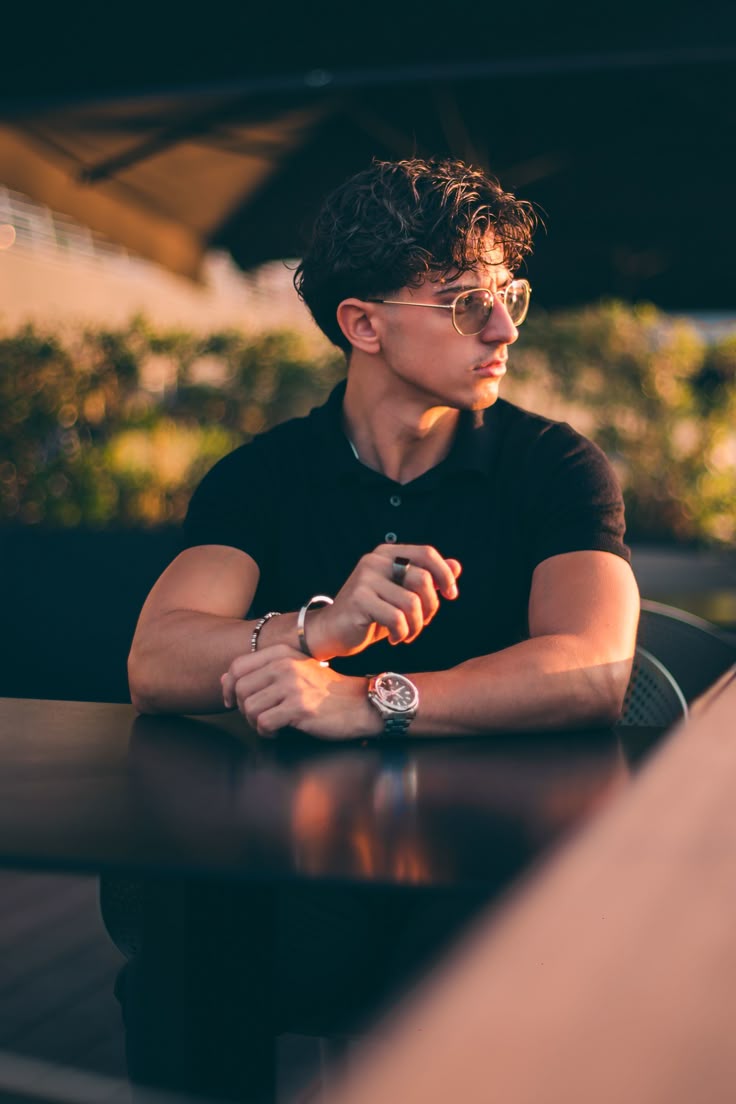
AI photo editing has made it much easier to give ordinary pictures a professional and cinematic appearance. With the right prompt, you can enhance lighting, create depth, improve the overall atmosphere, and give a portrait the look of a professionally photographed image.
In this guide, I will show you a simple way to create a cinematic AI portrait from an existing photo. You can use your own image and apply the prompt below in a compatible AI image-editing tool.
The goal is not to completely change the original photograph. Instead, the prompt focuses on improving the visual atmosphere while keeping the subject recognizable and natural.
What You Can Create With This Prompt
This editing approach can help you create:
- Cinematic portrait lighting
- Natural depth and background separation
- Soft highlights and realistic shadows
- Professional color grading
- Subtle glow and atmospheric effects
- A more polished photography-style appearance
It can work particularly well for profile pictures, social media posts, creative portraits, thumbnails, and personal photography projects.
Free Cinematic AI Photo Editing Prompt
Transform the uploaded photo into a high-end cinematic portrait while preserving the original subject and important details of the photograph. Keep the person’s facial identity, facial structure, skin texture, hairstyle, clothing, pose, body proportions, camera perspective, and overall composition naturally consistent with the original image.
Create a professional cinematic photography atmosphere with realistic depth, balanced contrast, soft directional lighting, subtle highlights, and naturally rich shadows. Enhance the existing environment without replacing it unnecessarily.
Add gentle background separation and realistic depth of field while keeping the subject sharp and detailed. Introduce subtle atmospheric haze and a soft cinematic glow around bright areas without making the image look artificial.
Apply refined cinematic color grading with natural skin tones, realistic textures, controlled highlights, and detailed shadows. Maintain authentic photographic details and avoid excessive smoothing, plastic-looking skin, unrealistic facial changes, or artificial features.
The final result should look like a professionally captured cinematic portrait photograph, with realistic lighting, natural details, strong visual depth, and a premium photography aesthetic.
How to Use the Prompt
Using the prompt is quite simple.
Step 1: Choose a clear photo with good subject visibility.
Step 2: Upload the image to an AI image-editing tool that supports image-based editing.
Step 3: Paste the cinematic portrait prompt provided above.
Step 4: Generate the edited image and compare it with the original.
Step 5: If the result changes important details, try generating again with stronger instructions to preserve the original subject.
Tips for a Better Result
For better results, start with a reasonably clear image. Extremely blurry or heavily compressed photos may produce less accurate results.
It is also better to avoid adding too many different visual effects in one prompt. A cinematic result usually looks more realistic when the lighting, contrast, depth, and color grading are enhanced subtly.
For portraits, maintaining natural skin texture is especially important. Excessive sharpening or face enhancement can make an AI-generated image look less realistic.
Where You Can Use the Cinematic Portrait Effect
You can use this style for:
- Instagram profile pictures
- Social media posts
- YouTube thumbnails
- Creator portraits
- Portfolio images
- Poster designs
- Personal photography
- Creative AI projects
Final Thoughts
Creating a cinematic portrait no longer requires advanced photo-editing skills. A well-written AI prompt can help transform the lighting, depth, atmosphere, and overall presentation of an existing photograph.
The most important part is to use the prompt as a starting point and make small adjustments depending on the original image. Different photos may require different lighting and background instructions to achieve the most natural result.