Tag: Gemini ai photo editing prompts

  • Dual selfie gemini ai prompts

    Dual selfie gemini ai prompts

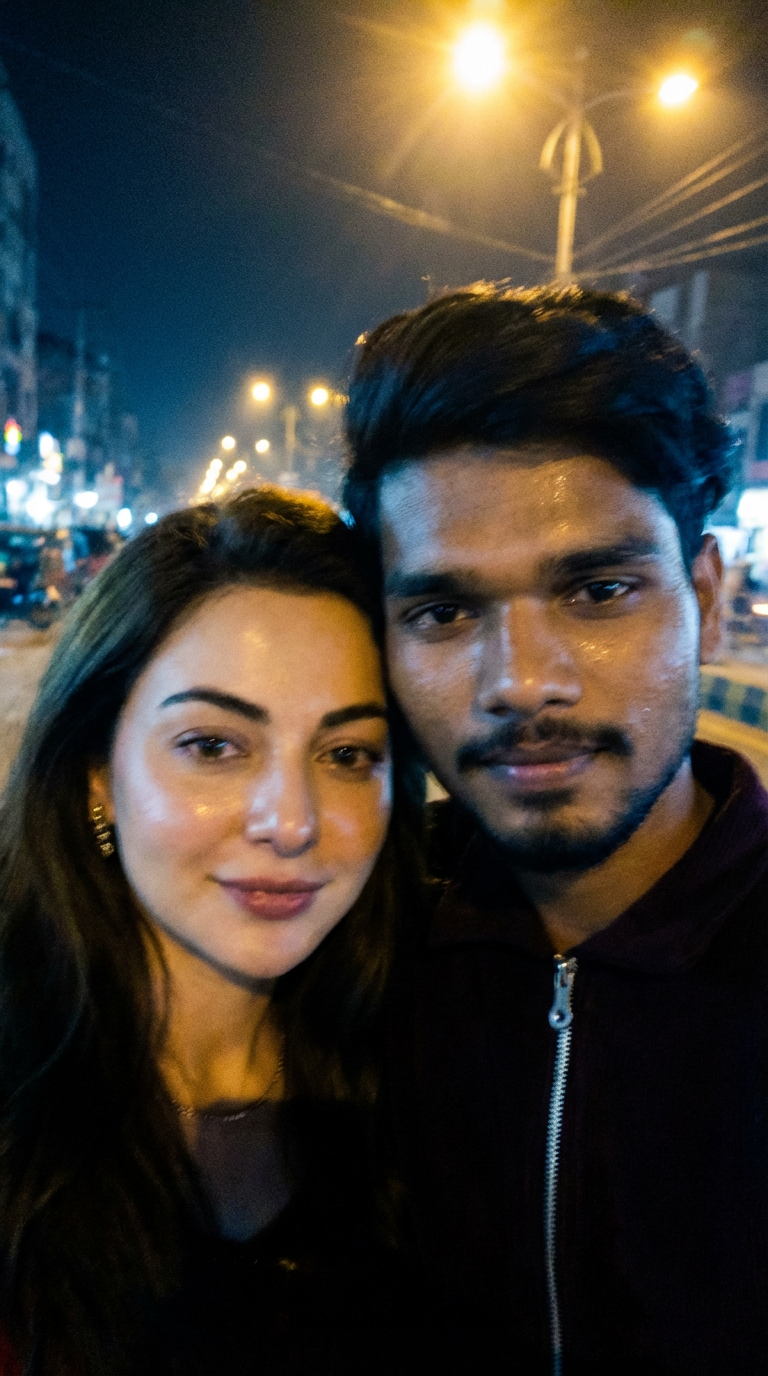
    Ye image generate karne ke 2 image ki jarurat lagegi pahli image khus ki aur gemini/chat gpt app me upload karke ye image Ready ho jayegi

    Use 100% of both faces above the image uploaded, Create an image of a selfie, without any clear subject or composition-just a random blueish snapshot taken unintentionally. The image should have slight motion blur and consistent lighting from streetlights. Both characters are together in the selfie and the image size ratio is 9:16 and does not change the facial features. Both skins are real skin texture do not use plastic skin don't change both faces and don't change both hairstyle.

    ✨ Prompt Use Karne Ka Tarika

    1️⃣ Sabse pehle upar diya gaya prompt copy kare

    2️⃣ Apni khud ki clear selfie image upload kare

    3️⃣ Dusri image me celebrity / actress ki photo upload kare

    4️⃣ Gemini / ChatGPT / kisi bhi supported AI tool me prompt paste kare

    5️⃣ Generate hone ke baad best result download kar le

    ⭐ Best Result Ke Liye Tips

    Dono images high quality aur clear face wali ho

    Blur ya low-light photos avoid kare

    Face angle aur lighting thodi similar ho to result aur realistic aata hai

    📌 NoteYe prompt educational aur creative purpose ke liye share kiya gaya hai.Final output AI tool aur uploaded images par depend karta hai.

    🔔 Aise aur trending AI photo prompts ke liye website ko bookmark karna na bhule.
  • viral red neon light glow effect gemini ai prompt 😍

    viral red neon light glow effect gemini ai prompt 😍

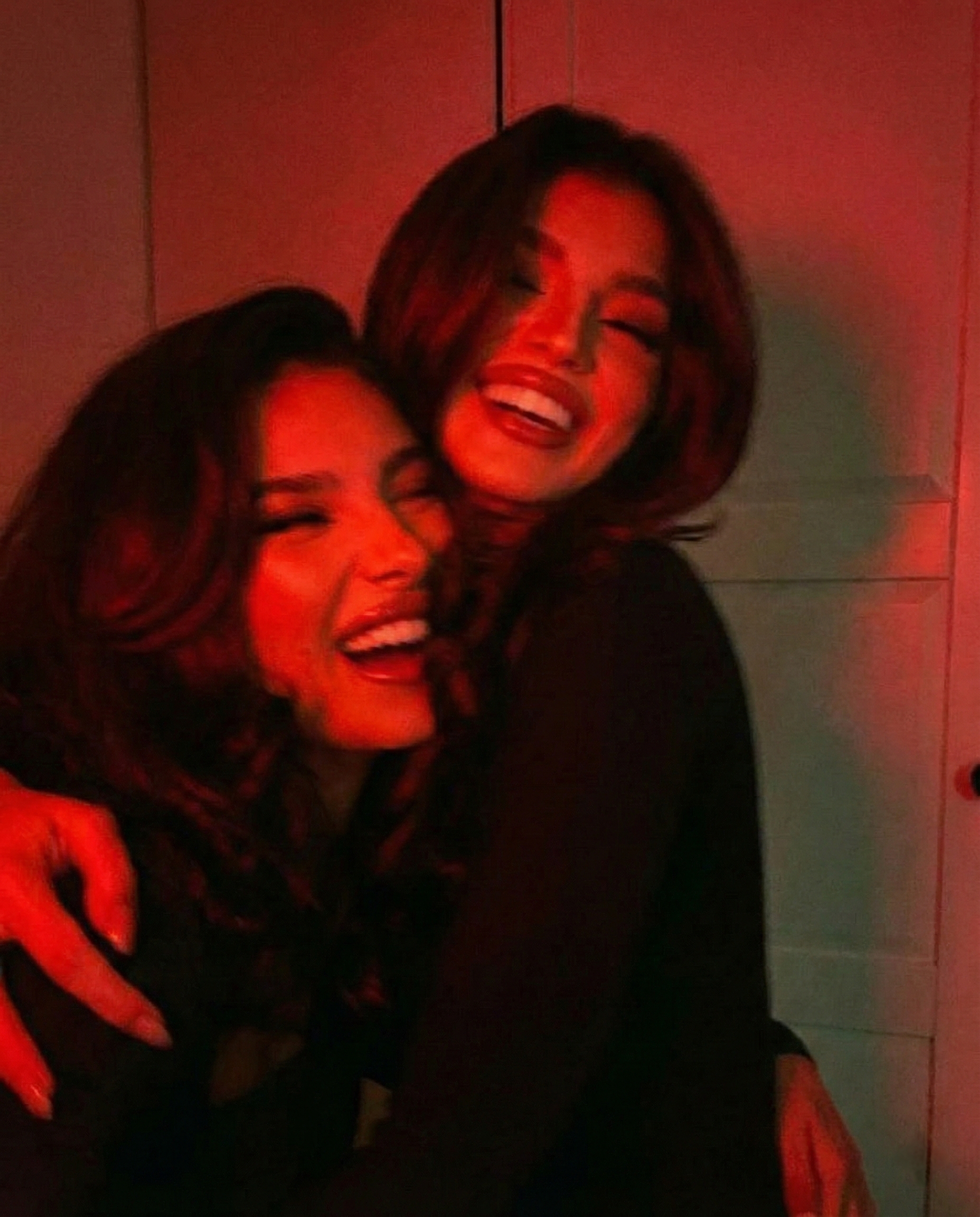
    Use the user uploaded image as the exact base reference.

    Apply a strong red aesthetic lighting effect, as if the scene is illuminated by a deep red neon light or traffic light glow at night.

    Lighting & color treatment:

    Cast a dominant red light source onto the subject’s face, skin, and hair

    Red light should feel directional and realistic, not a flat color overlay

    Preserve natural shadows and depth while tinting highlights red

    Keep blacks deep and shadows rich for a cinematic night mood

    Slight warm red bloom around highlights, especially on cheekbones, nose bridge, lips, and hair strands

    Subtle red color spill onto nearby surfaces (car interior, background edges if visible)

    Mood & style:

    Editorial, cinematic, intimate night-time atmosphere

    Moody, quiet, slightly dramatic feel

    Looks like a candid photo taken inside a car under red street or brake lights

    Fashion editorial realism, not stylized illustration

    Quality & realism:

    Maintain realistic skin texture and facial details

    No plastic skin, no over smoothing

    Add very subtle film grain for cinematic texture

    Preserve original sharpness and depth of field

    Hard rules (must follow):

    Do NOT change the subject’s face, facial structure, hair shape, body, or expression

    Do NOT change the pose, camera angle, framing, or crop

    Do NOT change the outfit or accessories

    Do NOT alter the background structure or objects

    Do NOT change the aspect ratio

    Only apply lighting, color grading, and mood enhancements

    Output should look like the original photo captured under dramatic red night lighting, cinematic and realistic.