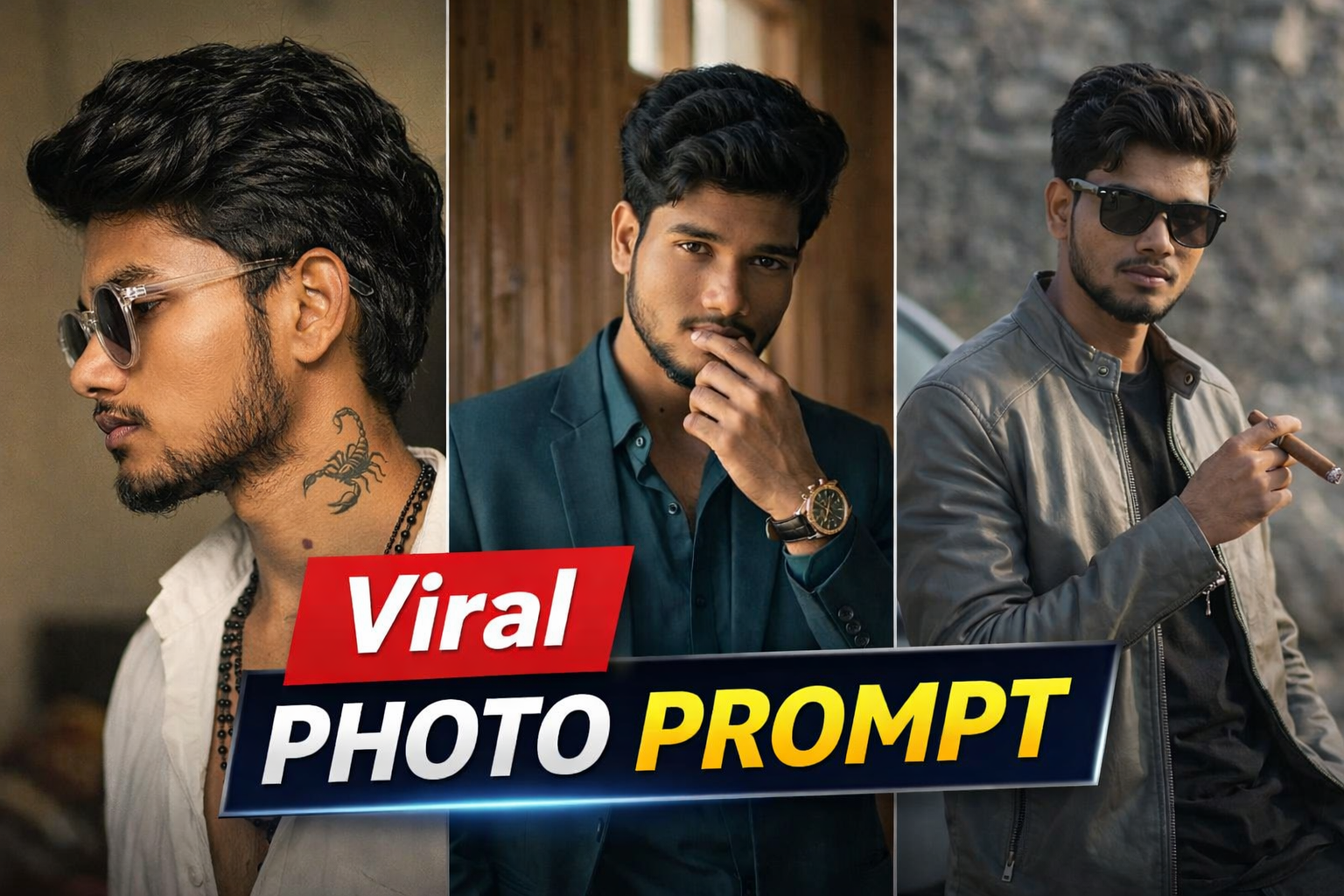
Introduction
AI photo editing is rapidly becoming one of the most popular trends among content creators. From Instagram reels to YouTube thumbnails, cinematic-style photos are getting massive attention.In this post, you will get a powerful viral photo prompt that helps you transform your normal image into a professional cinematic look using AI tools.
How to Use This Prompt
Follow these simple steps:
Open your AI image generator (like any prompt-based tool
Upload your photo
Copy and paste the prompt given below Generate the image
Download the final cinematic result
How This Prompt Works
This prompt is designed to enhance lighting, depth, and facial details while maintaining your natural look.It adds cinematic color grading, sharp focus, and a professional background to make your image look visually appealing and viral-ready
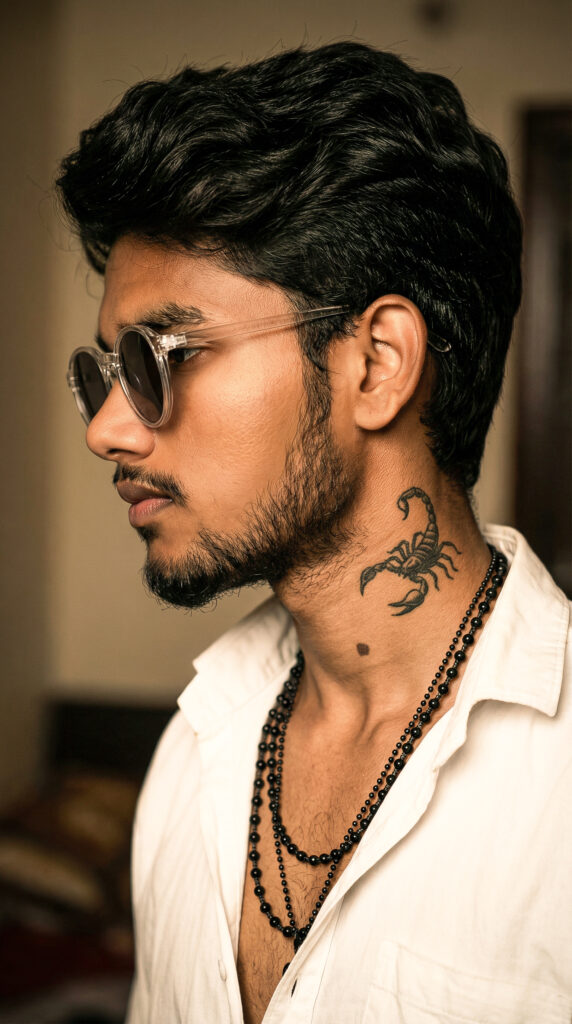
PROMPT
Ultra realistic close-up side profile portrait of a person with natural beard growth matching their actual face (no extra density, realistic patchiness as per real beard), thick wavy hair, wearing round transparent sunglasses and a slightly open white shirt, layered black bead chains, visible scorpion tattoo on neck, sharp facial features, cinematic warm lighting, high contrast shadows, ultra detailed skin texture, shallow depth of field, soft blurred indoor background, 85mm lens, Sony A1 quality, ultra HD, natural tones, 100% face match
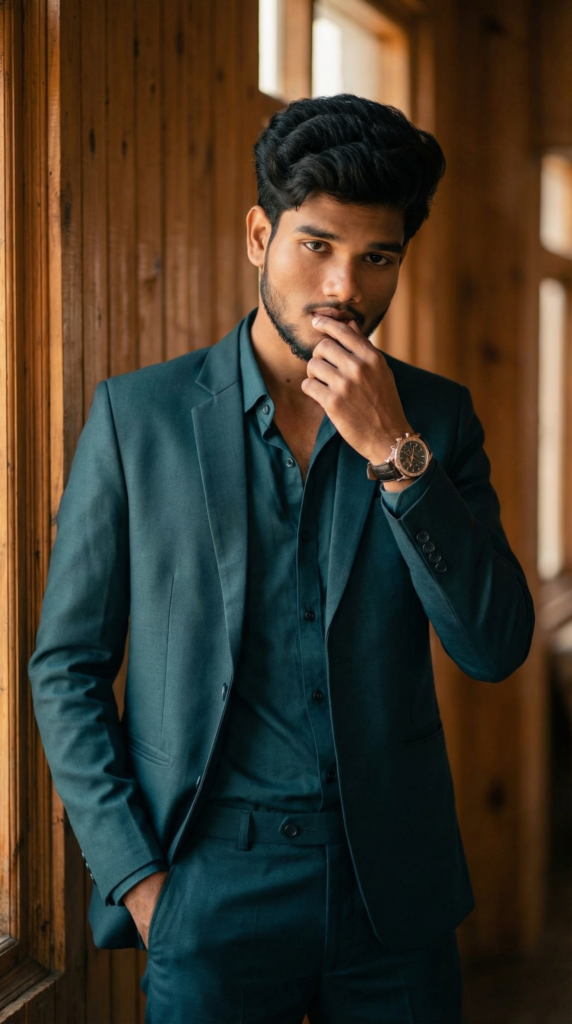
PROMPT
Ultra realistic portrait of a stylish person standing indoors near a wooden wall, wearing a dark teal suit with a matching shirt, open collar, one hand in pocket and other touching lips, confident and calm expression, sharp jawline, well-groomed beard, voluminous hairstyle, luxury wristwatch, warm cinematic lighting, soft shadows, shallow depth of field, 85mm lens, Sony A1 quality, ultra HD, natural skin tones, 100% face match
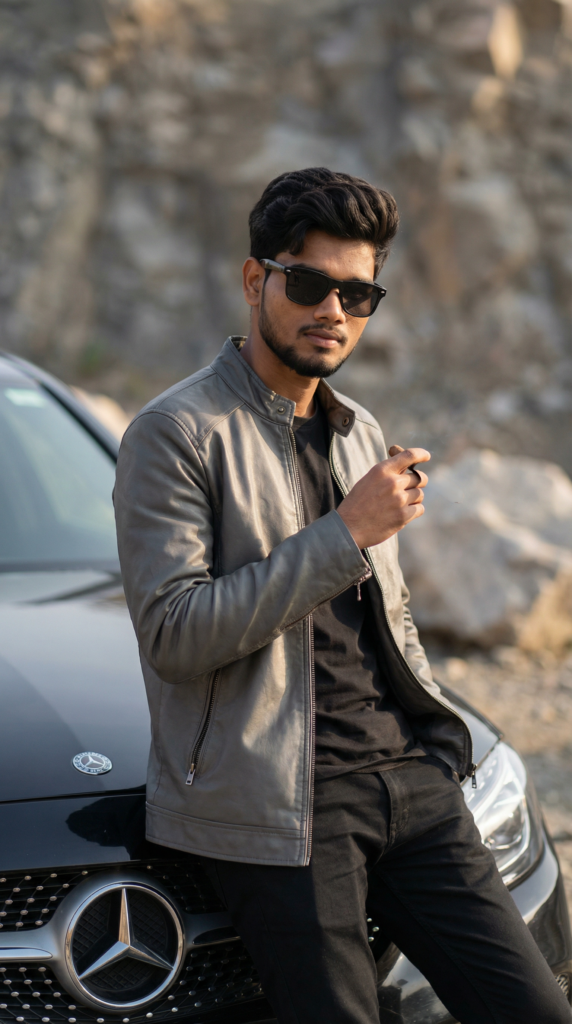
PROMPT
Ultra realistic portrait of a stylish person leaning against a luxury black car, wearing a grey leather jacket over a black t-shirt, black pants, and dark sunglasses, holding a cigar in one hand, confident attitude, sharp jawline, trimmed beard, clean hairstyle, cinematic lighting, shallow depth of field, outdoor rocky background, high detail skin texture, 85mm lens, Sony A1 quality, natural colors, soft shadows, ultra HD, 100% face match
Tools You Can Use
AI image generator tools
Prompt-based editing platforms
Basic photo editing apps (optional for final touch)
Editing Process (Step-by-Step)
Step 1: Upload your original photo
Step 2: Paste the prompt
Step 3: Generate AI image
Step 4: Adjust lighting or effects (if needed)
Step 5: Download final image
Best Use Cases
Instagram posts & reels covers
YouTube thumbnails
Profile pictures
Portfolio photos
Personal branding
Why This Prompt Is Trending
Cinematic AI photos look more professional and attractive compared to normal images.They help creators stand out on social media and increase engagement easily.
Conclusion
Using the right AI prompt, you can easily convert your normal photos into high-quality cinematic images.This viral photo prompt will help you create stunning visuals without needing advanced editing skills.
Leave a Reply